
SynchUP NextGen. Commerce and ERP, kept in step.
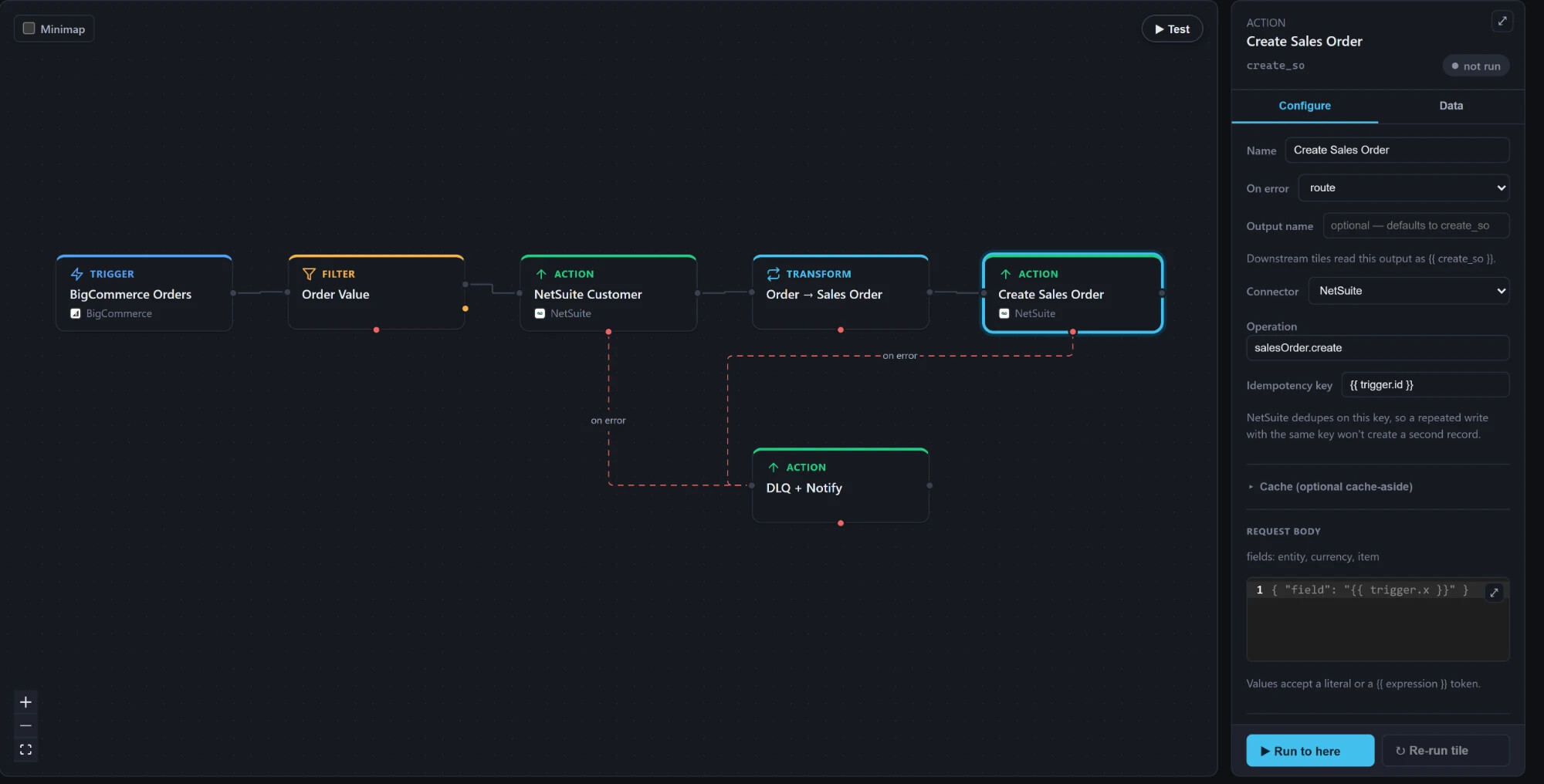
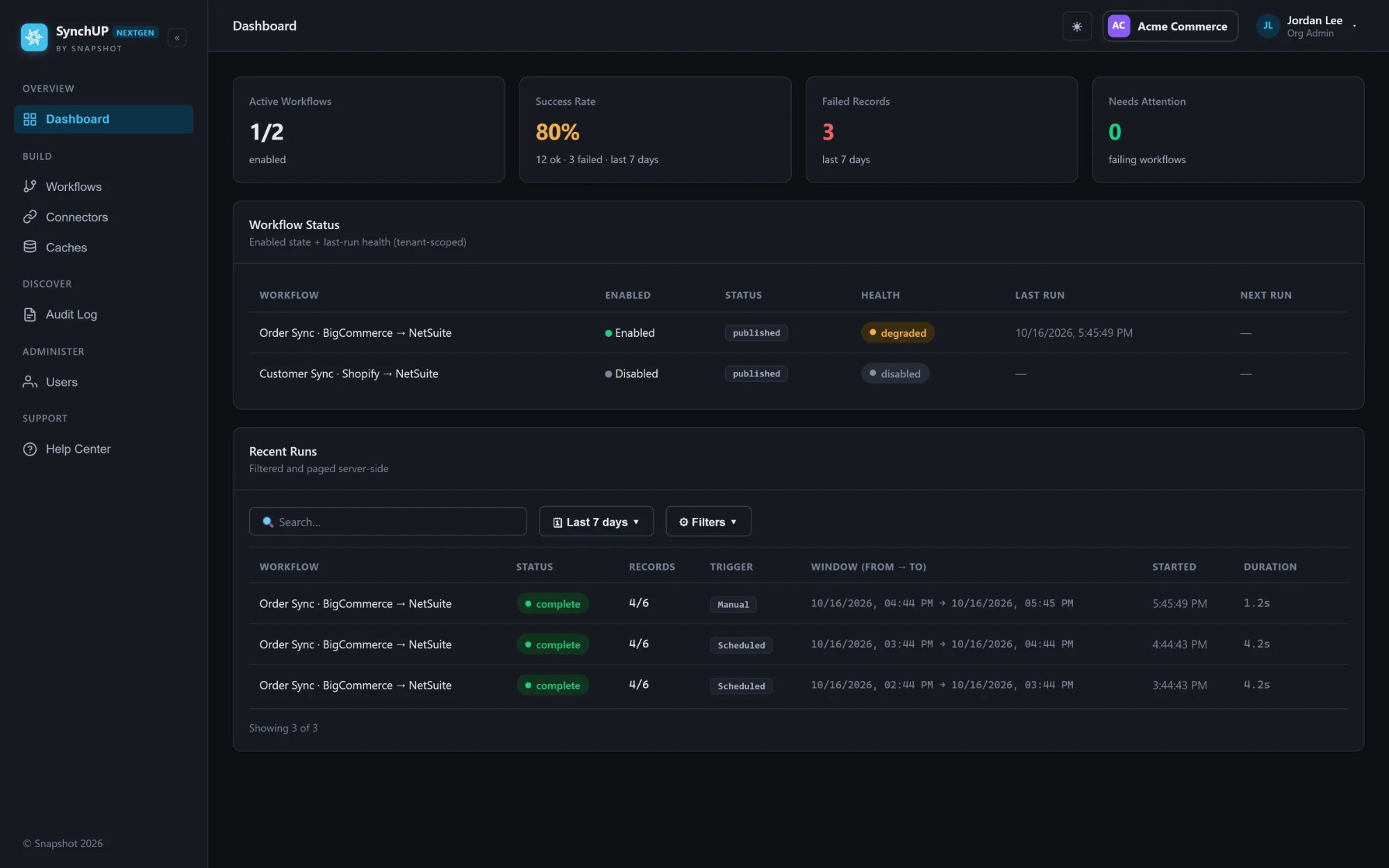
Most connectors pull and push the same fields the same way for everyone. NextGen lets us design the workflows each client actually needs, between your store, your ERP and the systems around them: BigCommerce, NetSuite, Shopify and more. Every workflow runs on a durable engine that retries temporary failures, resumes after interruptions and keeps a searchable history of every run and every record.
Six connectors. Each one reads and writes.
BigCommerce
The full Management API: orders, customers, catalog, inventory, categories, promotions, price lists and shipments.
BigCommerce B2B Edition
Its own connector for companies, company users, addresses, quotes and RFQs, sales staff, orders, invoices and shopping lists.
NetSuite
Customers, sales orders, items, inventory, invoices, contacts and item fulfillments. Saved searches and SuiteQL for reads, plus any other record type, custom records included.
Shopify
The Admin GraphQL API, for brands that sell on Shopify alongside or instead of BigCommerce.
FTP / SFTP / FTPS
Folder-polling file flows that read CSV and JSON, then archive each file to a success or error folder.
Any REST API
A generic HTTP connector with API-key, bearer, basic or OAuth2 client-credentials auth and configurable paging.
Workflows designed around your business.
From first call to first run.
- Design the flows.We map how your business actually works: which records move, in which direction, with which rules and on what schedule. Then we build workflows to match, instead of forcing your process into a fixed connector.
- Connect and test.Credentials are stored encrypted and checked with a test-connection button. Each workflow runs in test mode against your data before it's published.
- Go live and watch it work.Scheduled delta sync picks up what changed. The sync point only moves forward after a successful run, so a failed window is retried instead of skipped.
Watch one of your orders flow.
Bring a sample order and your store and ERP sandboxes. We'll build the flow in the visual builder and step through it in test mode with you.