Bank Recon. NetSuite bank reconciliation without the month-end scramble.
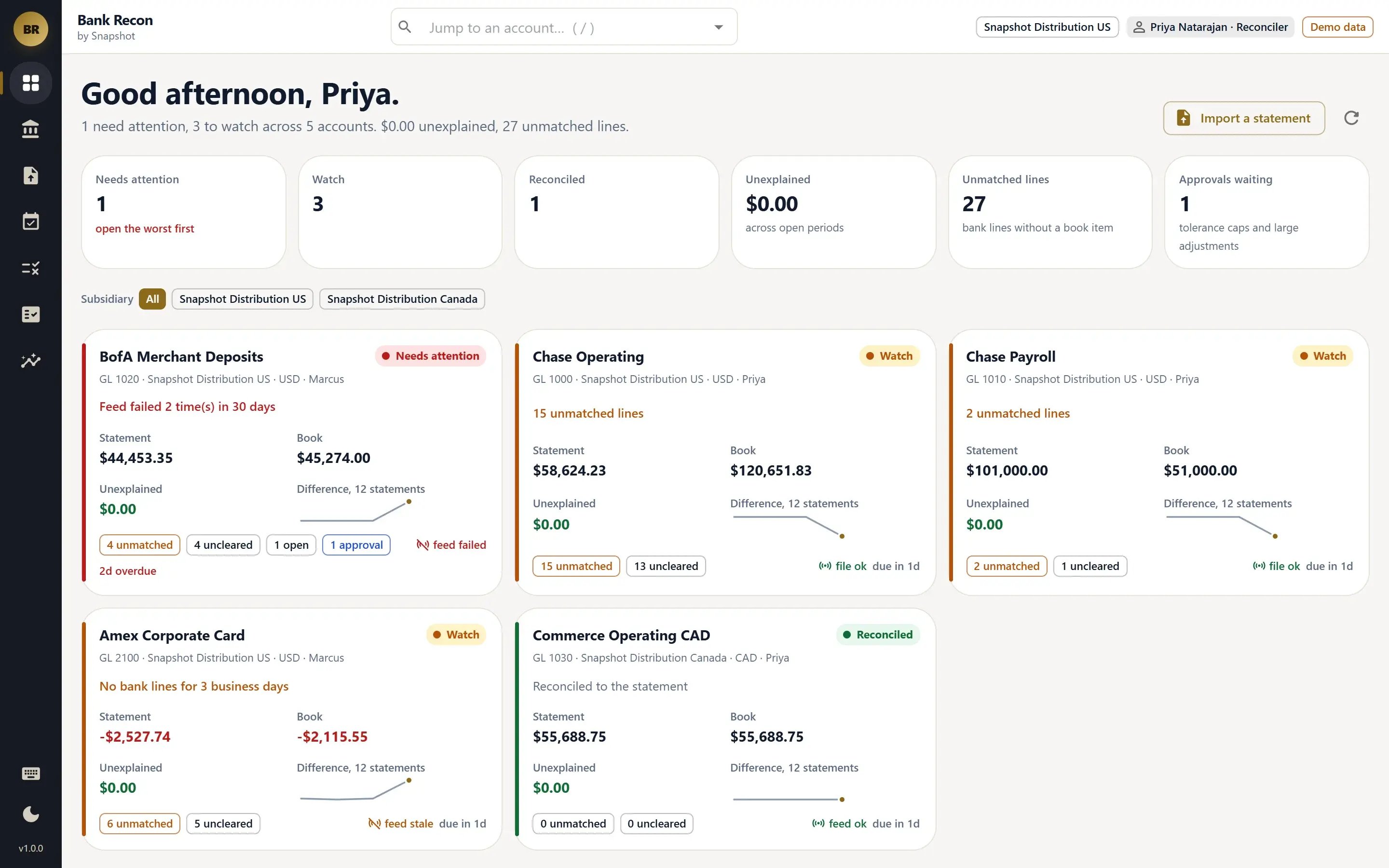
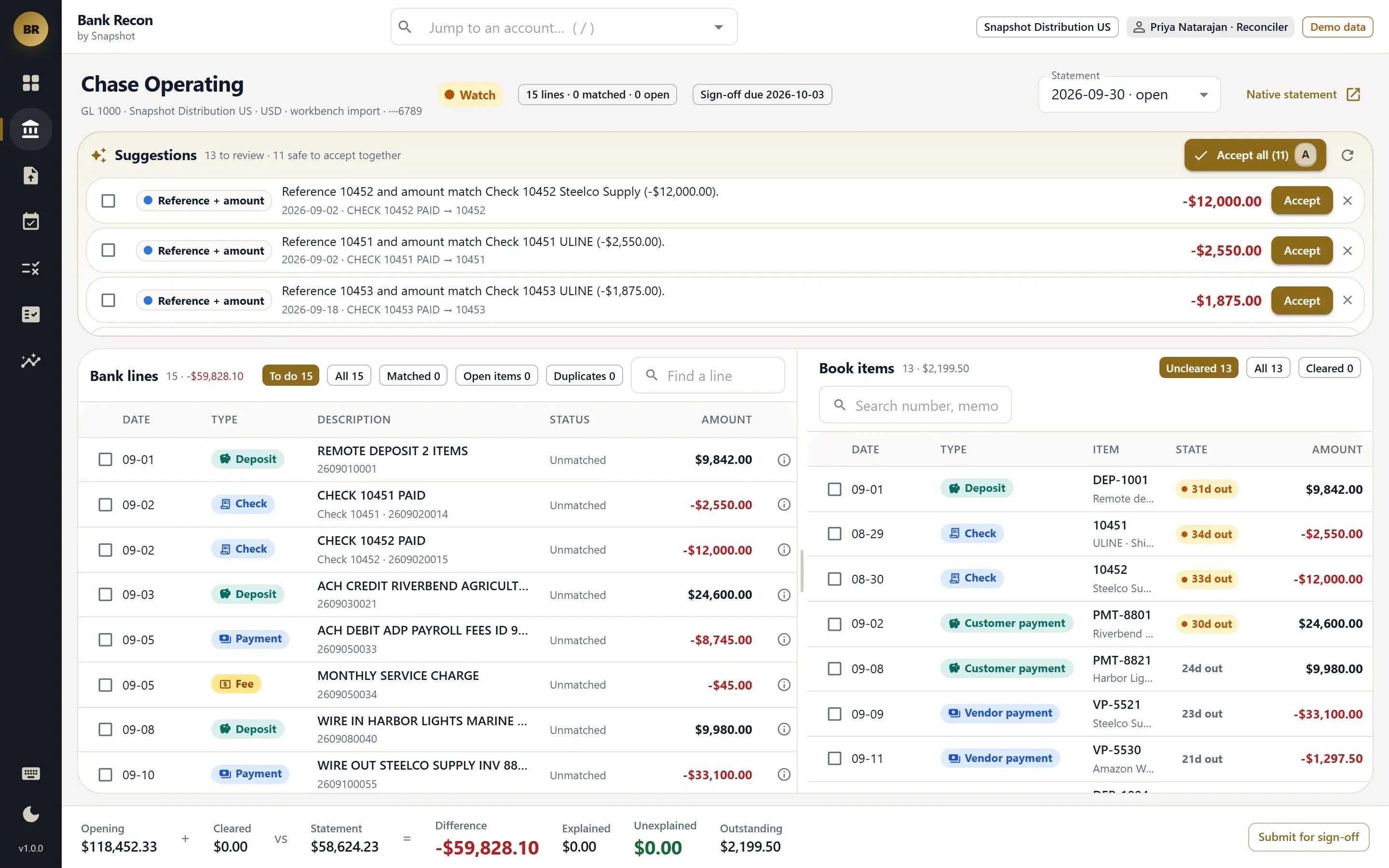
Every bank and credit card account on one control tower, with statement against book, what is still unexplained and feed health in plain words. Eight ordered matching rules explain most of the month; reconcilers clear the rest by keyboard, post fees, interest and returned items as native Checks, Deposits or Journal Entries in the same save, and sign off each period with a reconciliation package. Cleared is written in one place and nowhere else.


NetSuite bank reconciliation, explained line by line.
Control tower
Every bank and card account with statement against book, the difference, unmatched lines, feed health and the sign-off deadline. Green, amber and red always say why.
Explained matching
Eight ordered rules, from bank reference and exact amount to grouped deposits, transfers and tolerance, propose each match and name the rule that fired. Only the safest matches accept themselves.
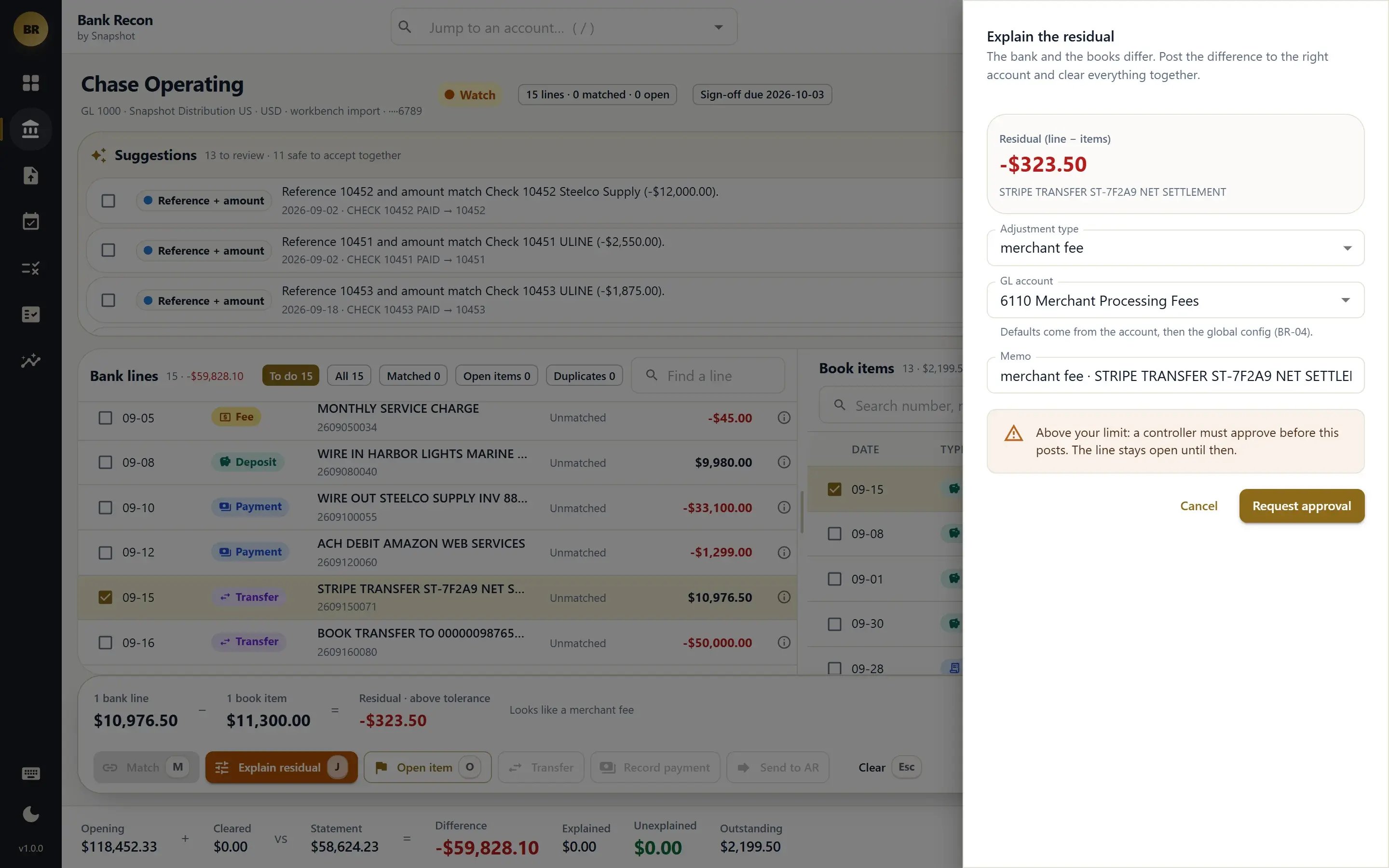
Adjustments in the same save
Bank fees, interest, FX, merchant fees and returned items post as the native Check, Deposit or Journal Entry and clear with the bank line in one save, coded to your default accounts.
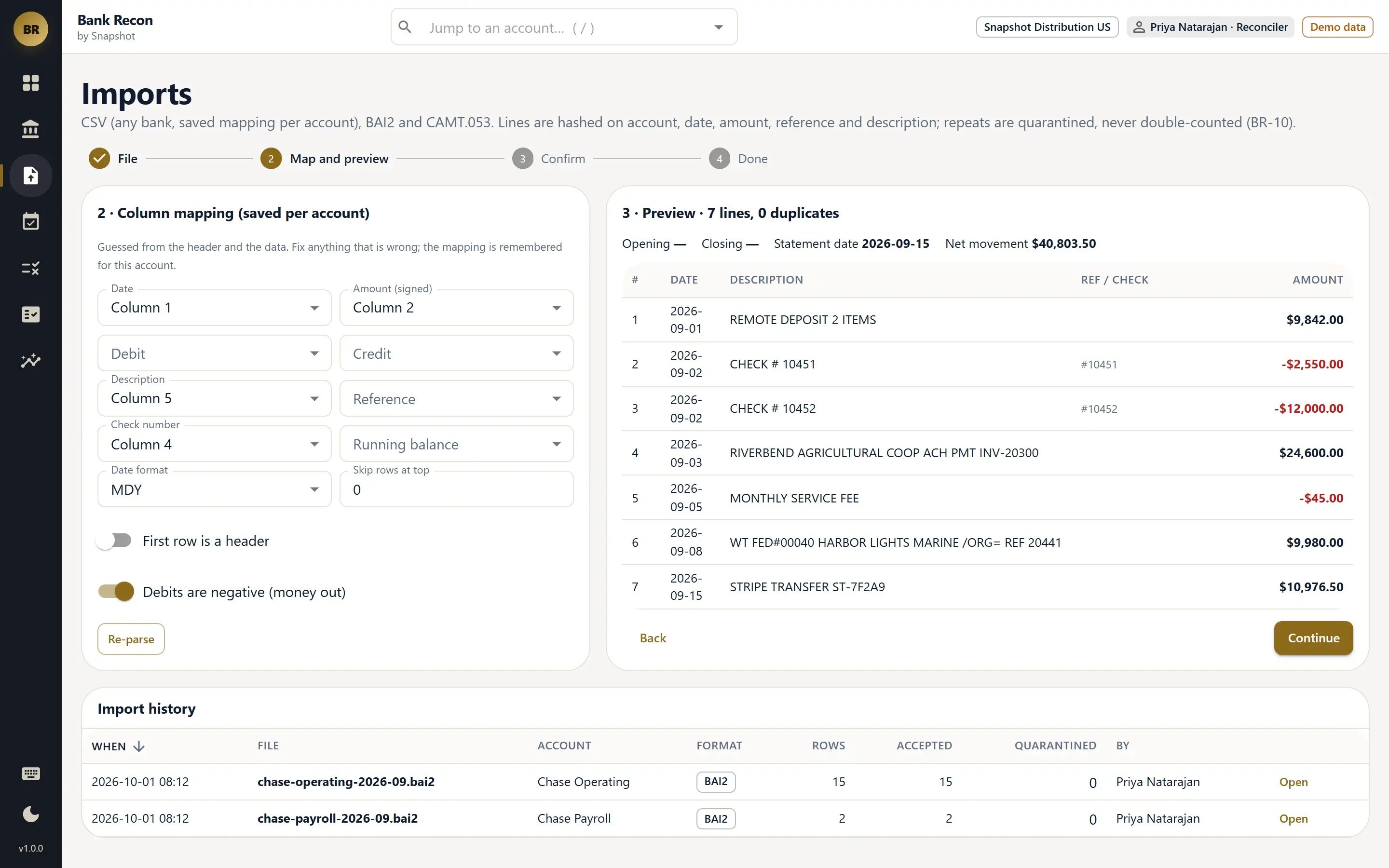
Statement imports
Lines from NetSuite Bank Feeds, or CSV, BAI2 and CAMT.053 files with remembered column mappings. Duplicates are quarantined, never silently dropped.
Periods & sign-off
Opening, cleared, statement and difference in one line. Submit and approve by different people, a reconciliation package PDF, and outstanding items carried to the next period.
Approvals, audit & reports
Adjustments above a threshold wait for a controller or CFO. Every action is audited, and reports cover auto-match rate, outstanding items, feed health and cash position.
Six roles, one control tower.
Guardrails for the classic reconciliation pitfalls.
- No silent clears.Cleared and the cleared date are written in one place, after validation. If someone edits a matched transaction on the native form, the period is flagged.
- No plug entries.Every difference is a typed adjustment, an open item with an owner and a reason, or a line still to work. Unexplained means exactly that, in dollars.
- Customer receipts go to AR.An unidentified customer receipt goes to the AR Workbench with the amount and reference filled in, and the payment it creates matches back to the bank line automatically.
See Bank Recon on a real month-end.
We'll walk your team through a demo September across five accounts: a Chase operating account with a dozen suggestions waiting, a merchant account with netted Stripe fees and a failed feed, and a Canadian account that is ready to sign off.