
Bank Recon: NetSuite Bank Reconciliation Software
A NetSuite reconciliation app for every bank and credit card account: one control tower, explained matching, adjustments in the same save and signed-off periods.
NetSuite bank reconciliation, explained line by line.
Control tower
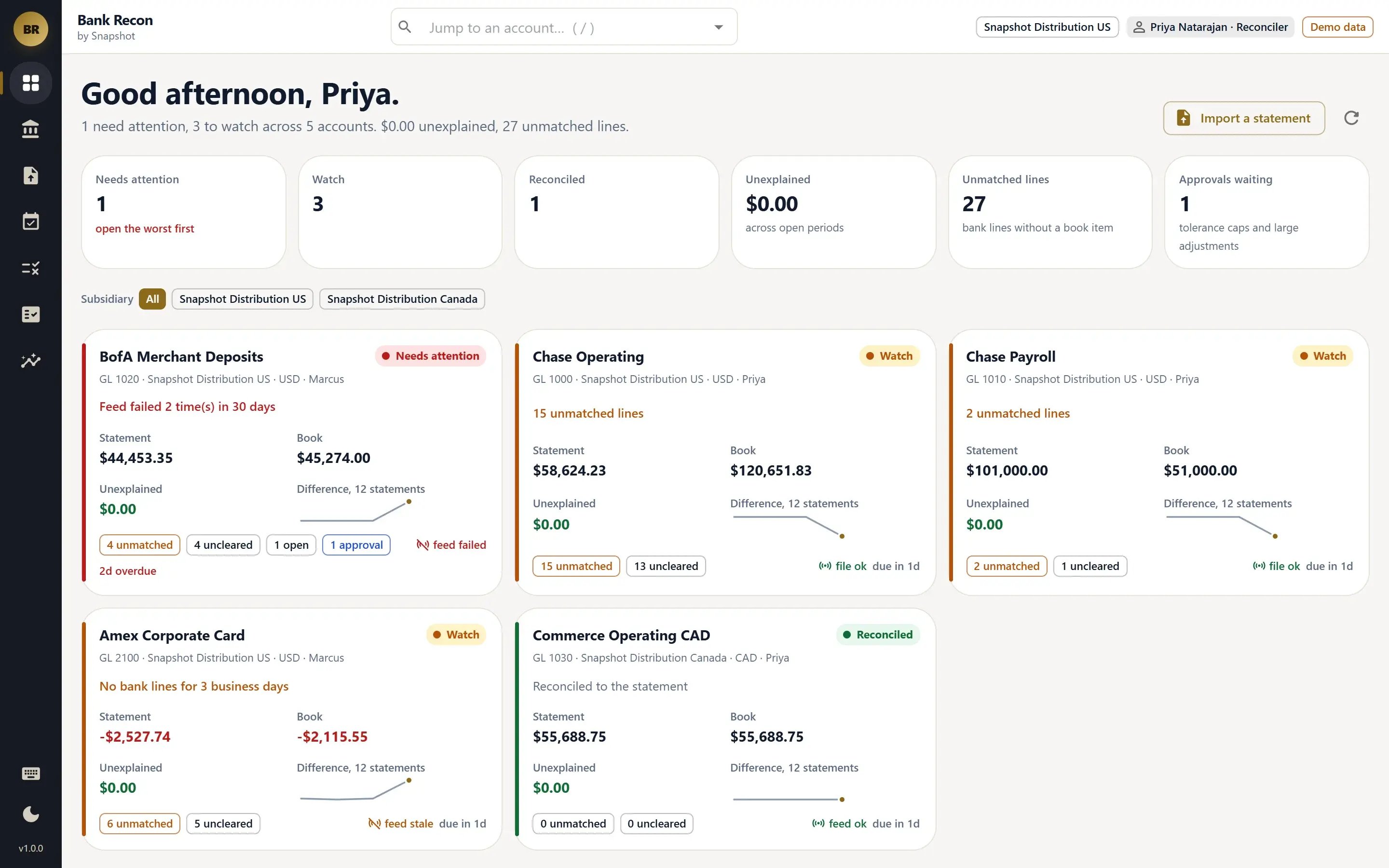
Every bank and credit card account shows statement against book balance, the difference, unmatched lines, feed health and the sign-off deadline. Each green, amber or red status explains itself.
Explained matching
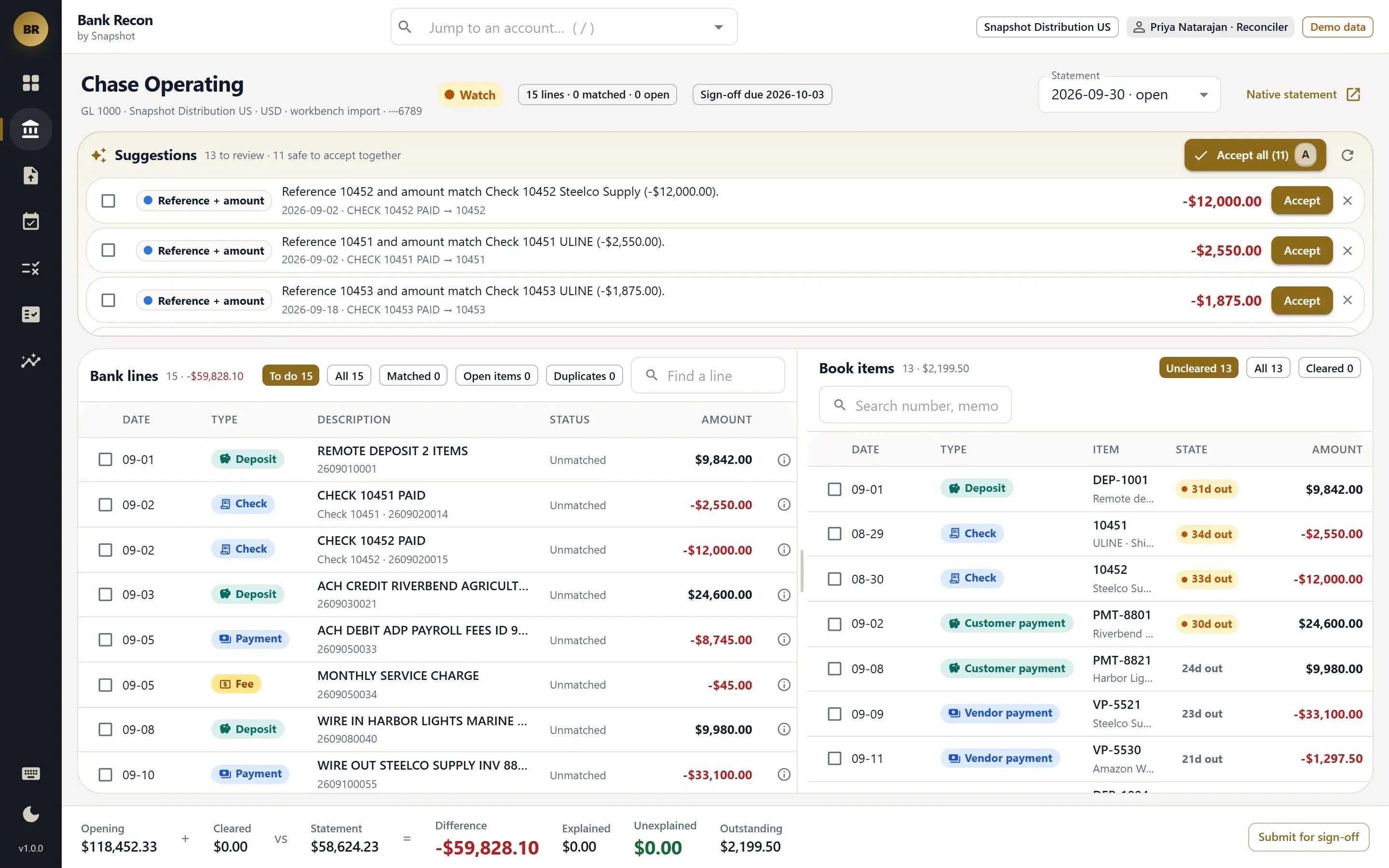
Eight ordered rules, from bank reference and exact amount to grouped deposits, transfers and tolerance, propose each match and name the rule behind it. Only the highest-confidence matches are accepted automatically.
Adjustments in the same save
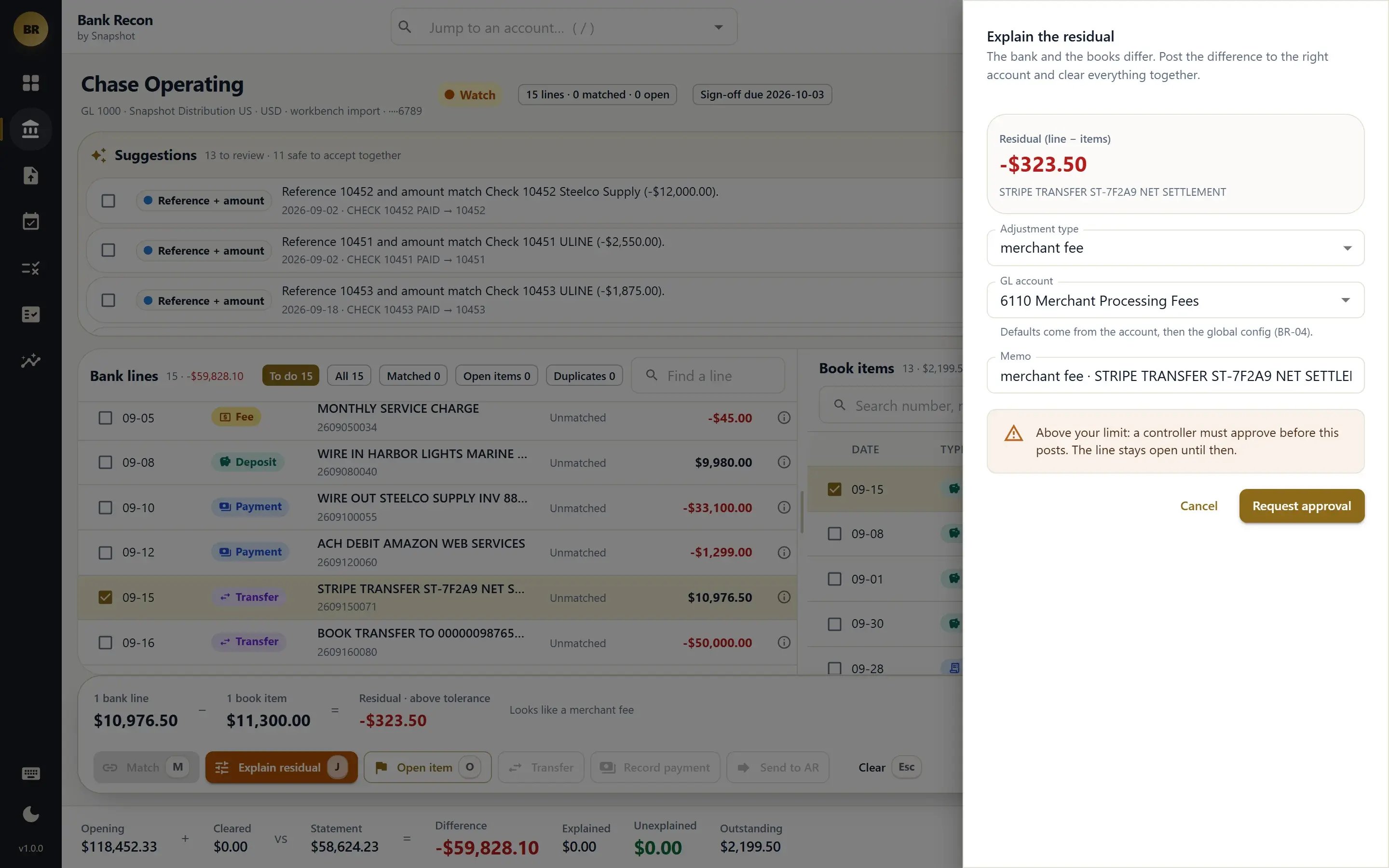
Bank fees, interest, FX, merchant fees and returned items post as the native Check, Deposit or Journal Entry and clear with the bank line in one save, coded to your default accounts.
Statement imports
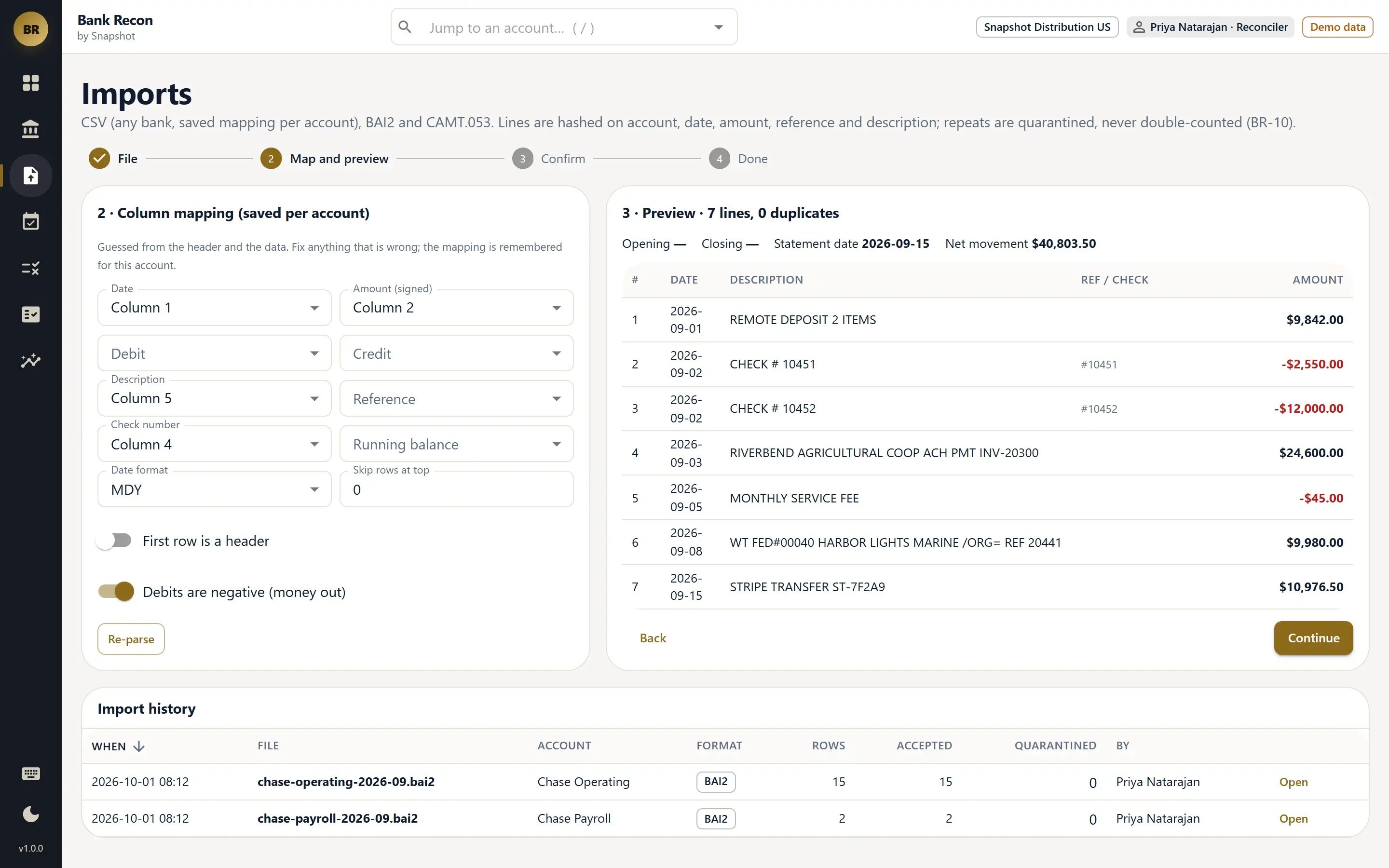
Statement lines come from NetSuite Bank Feeds or from CSV, BAI2 and CAMT.053 files, with column mappings saved for next time. Duplicate lines are held for review instead of silently dropped.
Periods & sign-off
Opening, cleared, statement and difference balances sit on one line. One person submits and a different person approves, each period produces a reconciliation package PDF, and outstanding items carry to the next period.
Approvals, audit & reports
Adjustments above a set threshold wait for controller or CFO approval. Every action is logged, and reports cover auto-match rate, outstanding items, feed health and cash position.
From the reconciler to the CFO.
Built to prevent reconciliation errors.
- Every clear is validated.Bank Recon writes the cleared flag and cleared date in one place, after validation. If someone edits a matched transaction on the native form, Bank Recon flags the period.
- Every difference is explained.Each difference becomes a typed adjustment, an open item with an owner and a reason, or a line still to work, so nothing is forced through with a plug entry.
- Customer receipts route to AR.An unidentified customer receipt goes to AR Workbench with the amount and reference filled in, and the resulting payment matches back to the bank line automatically.
See how Bank Recon fits your month-end close
Tell us how your team reconciles bank and card accounts today, and a NetSuite specialist will walk you through Bank Recon and how it fits your NetSuite account.
Book a Bank Recon demo
FAQ
Questions about Bank Recon
Don't see yours? Ask our NetSuite team and someone will get back to you.
What is Bank Recon?
Bank Recon is a NetSuite app from Snapshot Design that reconciles every bank and credit card account from one control tower. It explains each match, posts fees and other adjustments as native NetSuite transactions, and produces a signed-off reconciliation package for each period.
Who is Bank Recon built for?
Bank Recon is built for reconcilers, controllers and CFOs at NetSuite companies with several bank accounts, credit cards or subsidiaries.
Which bank statement formats does Bank Recon import?
Bank Recon reads statement lines from NetSuite Bank Feeds or imports CSV, BAI2 and CAMT.053 files, saving column mappings for each bank. Duplicate lines are held for review instead of dropped.
How does Bank Recon match transactions?
Eight ordered rules, from bank reference and exact amount to grouped deposits, transfers and tolerance, propose each match and name the rule behind it. Only the highest-confidence matches are accepted automatically, and reconcilers clear the rest by keyboard.
How does Bank Recon handle bank fees and returned items?
Bank fees, interest, FX differences, merchant fees and returned items post as native NetSuite Checks, Deposits or Journal Entries, coded to default accounts, and clear with the bank line in the same save. Adjustments above a set threshold wait for controller or CFO approval.
How does period sign-off work in Bank Recon?
Each period shows opening, cleared, statement and difference balances on one line. One person submits and a different person approves, Bank Recon produces a reconciliation package PDF, and outstanding items carry forward to the next period.
Does Bank Recon work with AR Workbench?
An unidentified customer receipt found during reconciliation goes to AR Workbench with the amount and reference filled in, and the customer payment created there matches back to the bank line automatically.