
SynchUP NextGen: BigCommerce, Shopify and NetSuite Integration
An integration platform that connects NetSuite with BigCommerce, Shopify, SFTP and any REST API, with workflows designed around your business and a searchable history of every run.
Six two-way connectors for your store, ERP and files.
BigCommerce
The full Management API: orders, customers, catalog, inventory, categories, promotions, price lists and shipments.
BigCommerce B2B Edition
Its own connector for companies, company users, addresses, quotes and RFQs, sales staff, orders, invoices and shopping lists.
NetSuite
Customers, sales orders, items, inventory, invoices, contacts and item fulfillments. Saved searches and SuiteQL for reads, plus any other record type, custom records included.
Shopify
The Admin GraphQL API, for brands that sell on Shopify alongside or instead of BigCommerce.
FTP / SFTP / FTPS
Folder-polling file flows that read CSV and JSON, then archive each file to a success or error folder.
Any REST API
A generic HTTP connector with API-key, bearer, basic or OAuth2 client-credentials auth and configurable paging.
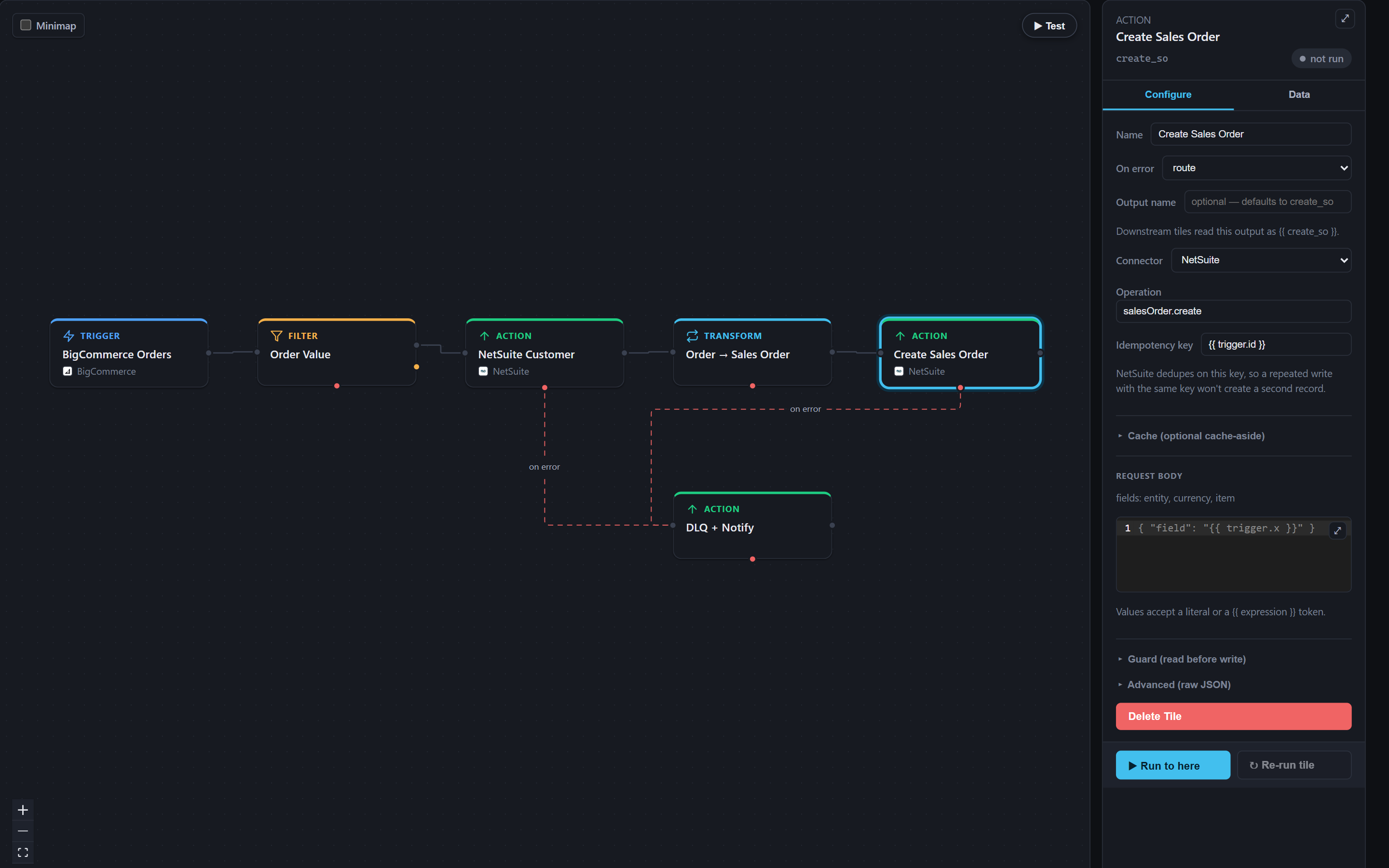
Workflows designed around your business.
From first call to first run.
- Design the flows.Snapshot maps which records move between your systems, in which direction, with which rules and on what schedule, then builds workflows that follow your process.
- Connect and test.Credentials are stored encrypted and checked with a test-connection button. Each workflow runs in test mode against your data before it's published.
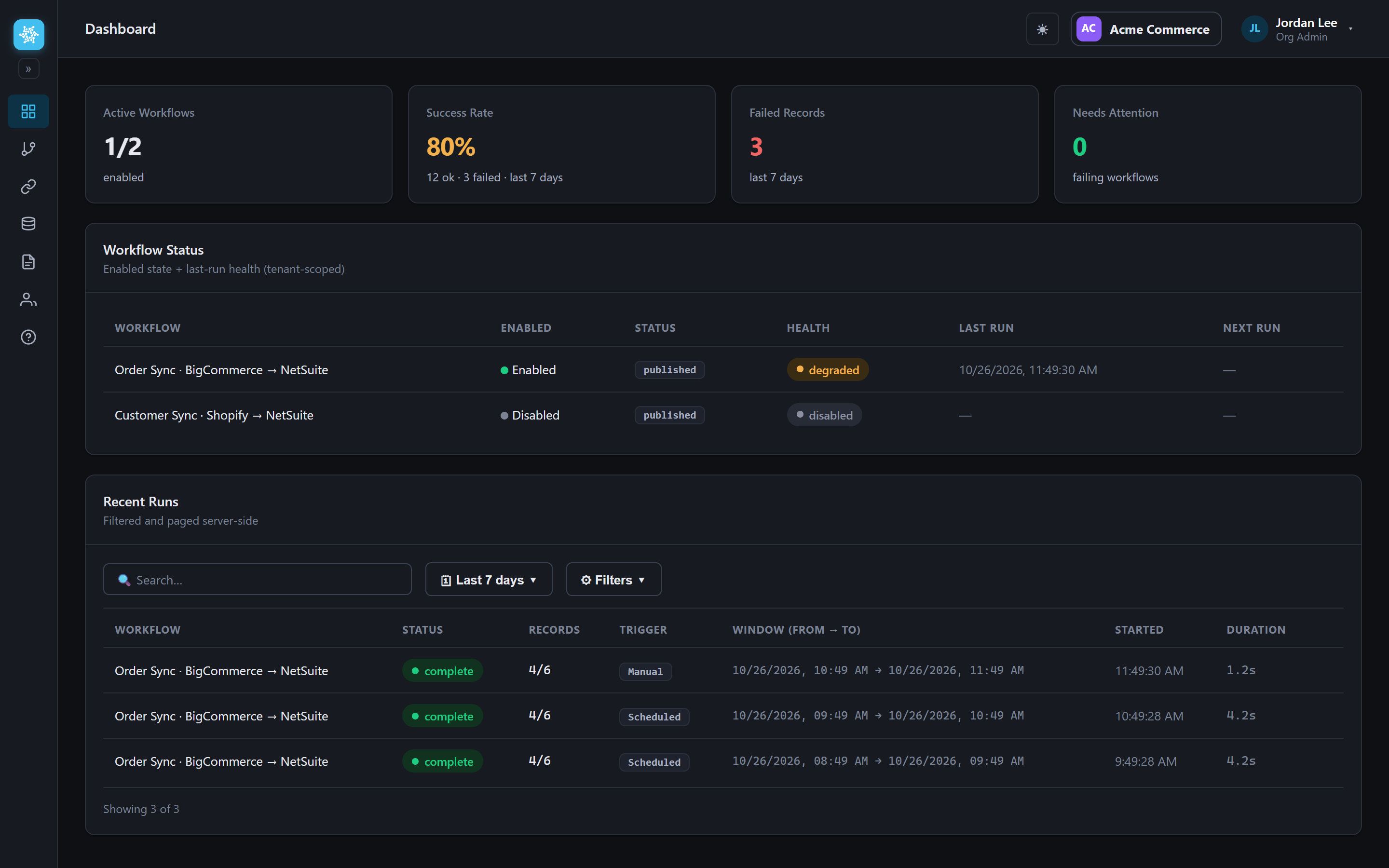
- Go live and watch it work.Scheduled delta sync picks up what changed. The sync point only moves forward after a successful run, so a failed window is retried instead of skipped.
See how SynchUP NextGen fits your systems
Tell us which stores, ERP and file systems you need to connect, and a NetSuite specialist will walk you through SynchUP NextGen and how it fits your NetSuite account.
Book a SynchUP NextGen demo
FAQ
Questions about SynchUP NextGen
Don't see yours? Ask our NetSuite team and someone will get back to you.
What is SynchUP NextGen?
SynchUP NextGen is an integration platform from Snapshot Design that connects NetSuite with BigCommerce, BigCommerce B2B Edition, Shopify, FTP and SFTP file exchanges, and any system with a REST API. Snapshot designs each workflow around the client's order, inventory and customer data.
Which systems does SynchUP NextGen connect?
SynchUP NextGen has six two-way connectors: BigCommerce, BigCommerce B2B Edition, NetSuite, Shopify, FTP, SFTP and FTPS file flows, and a generic REST connector with API-key, bearer, basic or OAuth2 client-credentials authentication.
How are SynchUP NextGen workflows built?
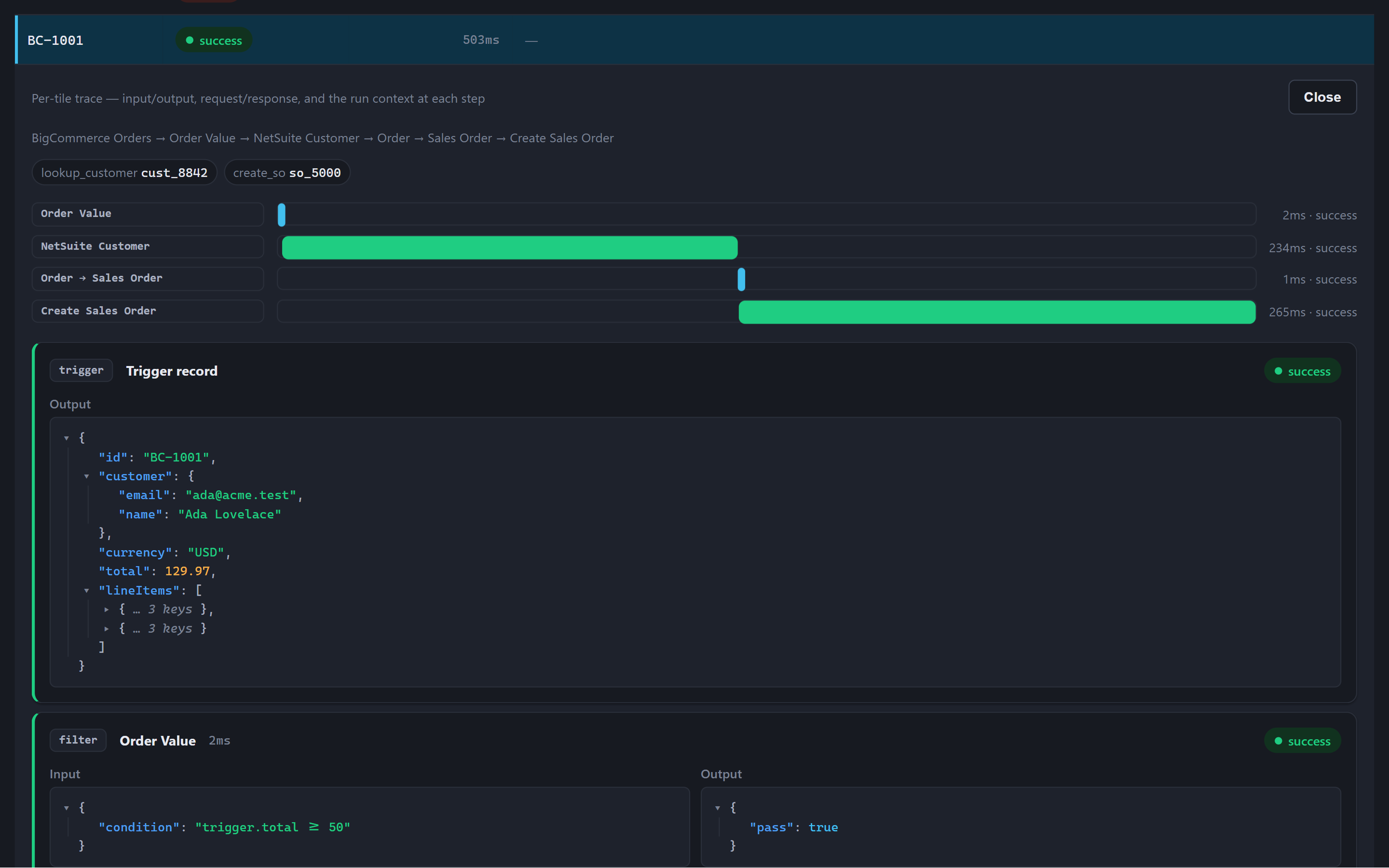
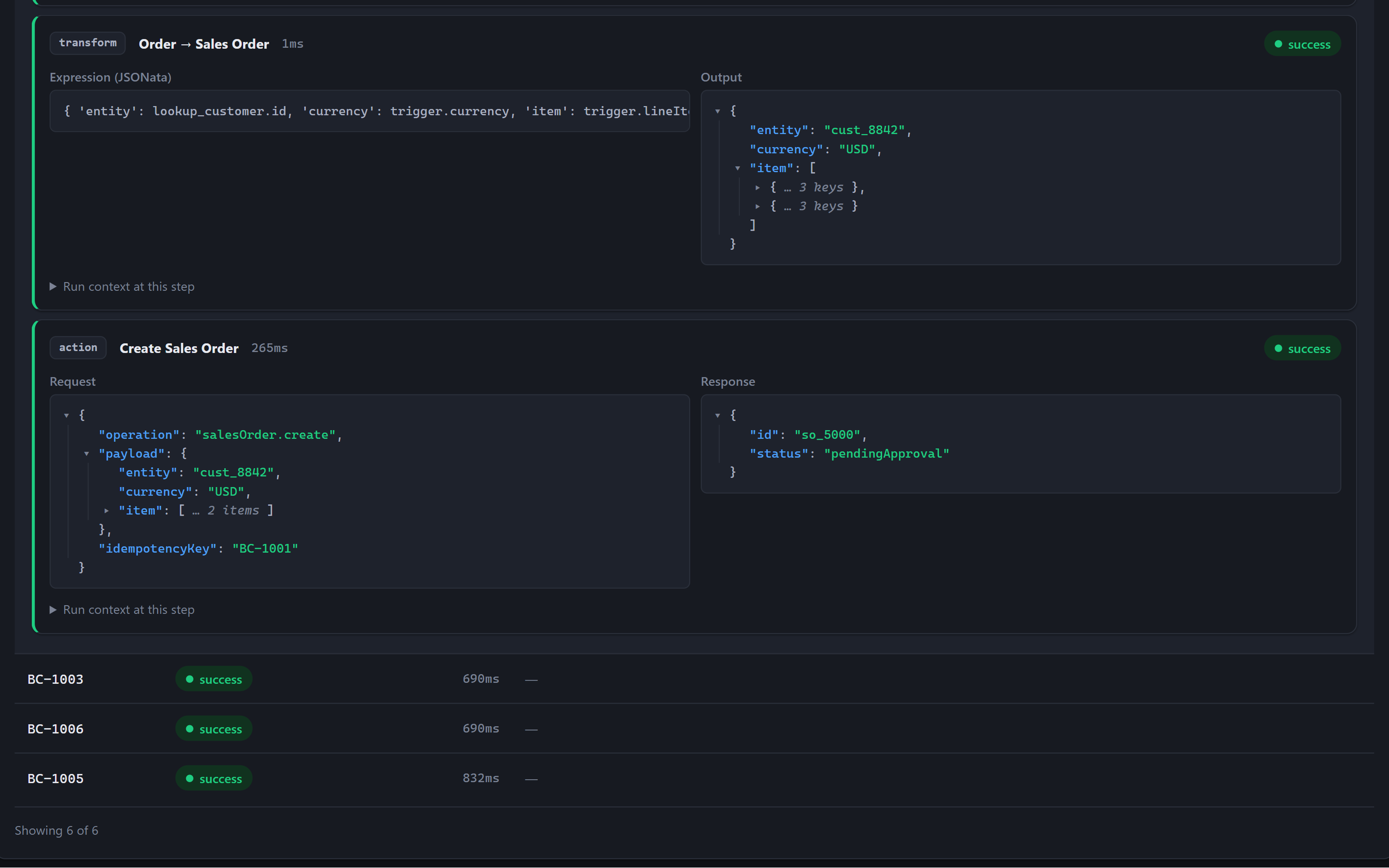
Workflows are assembled in a visual builder from filters, transforms, lookups, branching, loops, HTTP requests and script steps. Each one runs in test mode against your data, showing every record at every step, before it's published.
What happens when a SynchUP NextGen sync fails?
Temporary errors retry on their own, runs resume from the last completed step, and records that fail permanently are set aside for review. The sync point moves forward only after a successful run, so a failed window is retried.
How can I trace a specific order in SynchUP NextGen?
Run history is searchable by order or shipment number. Opening a failed record shows exactly what happened at which step.
How does SynchUP NextGen support multiple brands?
Many brands or clients can run on one SynchUP NextGen platform, each isolated from the others, with role-based access and an audit log of every change.
How does onboarding for SynchUP NextGen work?
The Snapshot team maps which records move and on what schedule, builds the workflows, stores your credentials encrypted and tests each connection and workflow before go-live. Contact Snapshot for pricing.