
Order Desk: NetSuite Order Entry and Customer Service Software
A NetSuite order entry and customer service screen for distributors and dealers: orders, quotes, returns, warranty claims and guided selling on native transactions.
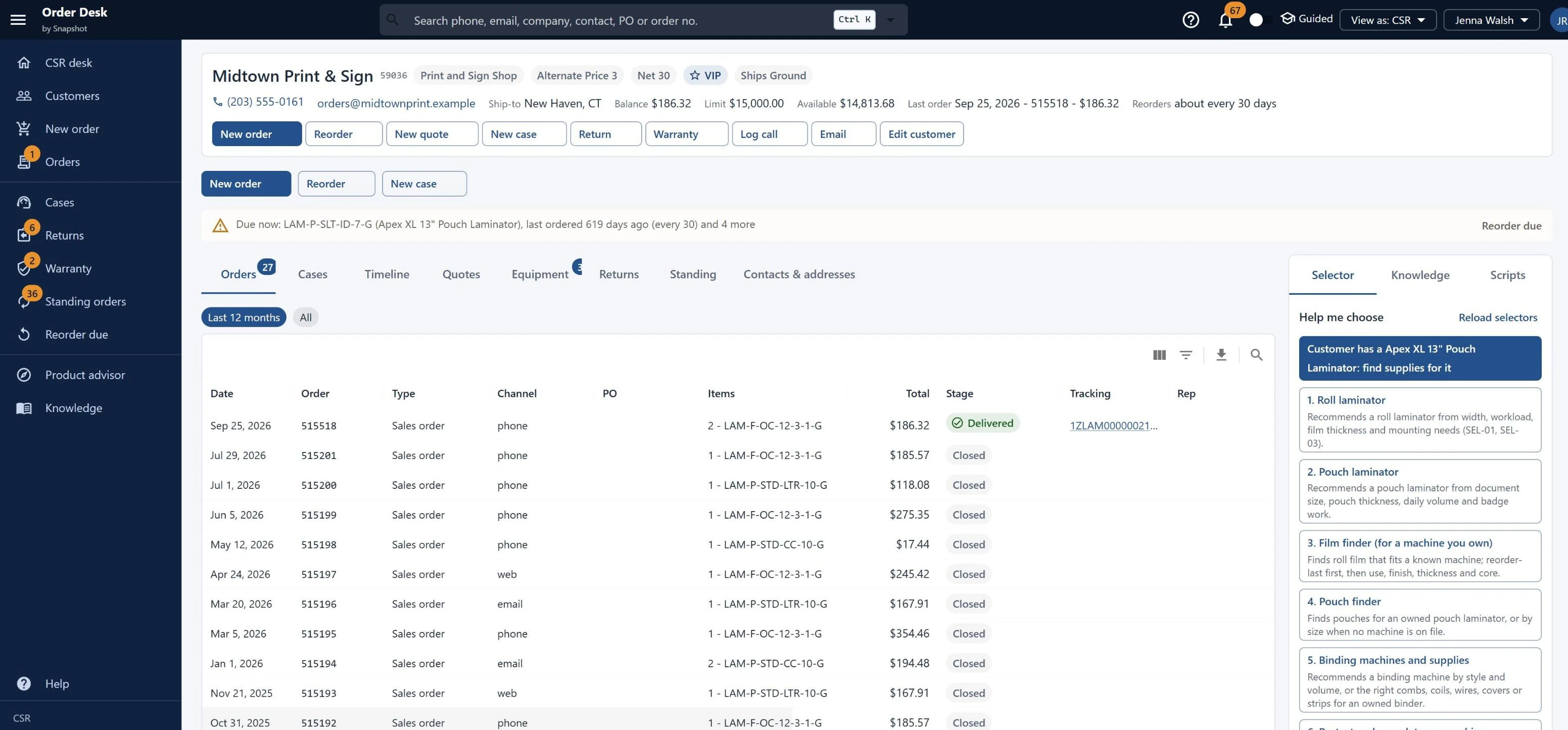
Order entry, customer service and guided selling on one screen.
Customer workbench
Find a customer by name, phone or email and see their orders, quotes, cases, returns, equipment and serial numbers in one view.
Three-panel order entry
Keyboard-first order entry with an entry timer. Card payments post as customer deposits, and held orders route to a supervisor.
Quotes & approvals
A quote editor and pipeline, a page where the customer accepts the quote, and supervisor approvals for discount limits, credit holds and refunds.
Compatibility & guided selling
Fit badges for consumables and parts, product selectors and an advisor, rule-based prompts, bundles, protection plans and call scripts a new rep can read.
Cases, returns & warranty
A case queue, a return wizard from RMA to receipt to credit or refund, and warranty claims by serial number with advance replacement.
Standing orders & intake
Standing orders split by ship-to, reorder reminders with a link for the customer, an inbound PO queue side by side with the order, and web-order review.
Built for everyone on the call.
Native NetSuite records from the first call to the refund.
- Orders, returns and refunds stay native.Sales orders, estimates, customer deposits, cases, return authorizations, item receipts, credit memos and cash refunds save as standard NetSuite records.
- Compatibility lives on the item.Item attributes drive every selector, prompt and reorder reminder, so product managers own the rules after go-live.
- Connects to the systems you already use.Payments, shipping, tax, address validation, web store and phone systems connect through adapters, so Order Desk can go live alongside a NetSuite implementation.
See how Order Desk fits your order and service team
Tell us how your team handles orders, quotes and service calls today, and a NetSuite specialist will walk you through Order Desk and how it fits your NetSuite account.
Book an Order Desk demo
FAQ
Questions about Order Desk
Don't see yours? Ask our NetSuite team and someone will get back to you.
What is Order Desk?
Order Desk is a NetSuite app from Snapshot Design that gives order entry reps, CSRs, sales reps and supervisors one screen for orders, quotes, order status, cases, returns, warranty claims, standing orders and guided selling. Every step saves as a native NetSuite transaction.
Who is Order Desk built for?
Order Desk is built for distributors and dealers that take orders by phone, email and purchase order, especially those selling machines along with their consumables and parts.
How does guided selling work in Order Desk?
Order Desk shows fit badges for compatible consumables and parts, product selectors and an advisor, rule-based prompts, bundles, protection plans and call scripts a new rep can read. Item attributes drive the selectors and prompts, so product managers maintain the rules after go-live.
Can Order Desk handle returns and warranty claims?
Order Desk includes a case queue, a return wizard that runs from return authorization to item receipt to credit memo or cash refund, and warranty claims by serial number with advance replacement.
How do quotes and approvals work in Order Desk?
Reps build quotes in a quote editor with a pipeline view, customers accept quotes on their own page, and supervisors approve discounts over the limit, credit holds and refunds.
Does Order Desk support standing orders and reorders?
Order Desk splits standing orders by ship-to address, sends customers reorder reminders with a link to reorder, and shows inbound purchase orders side by side with the order being entered.
What systems does Order Desk connect to?
Payments, shipping, tax, address validation, the web store and phone systems connect to Order Desk through adapters. Card payments post as NetSuite customer deposits, and held orders route to a supervisor.