
AI Usage Insights: See Where Your NetSuite Next AI Units Go
A NetSuite Next app that shows where your AI Units go, by module, feature, person and day, with a burn-rate projection, efficiency scores and alerts before the pool runs out.
Every AI Unit, traced to a module, a person and an outcome.
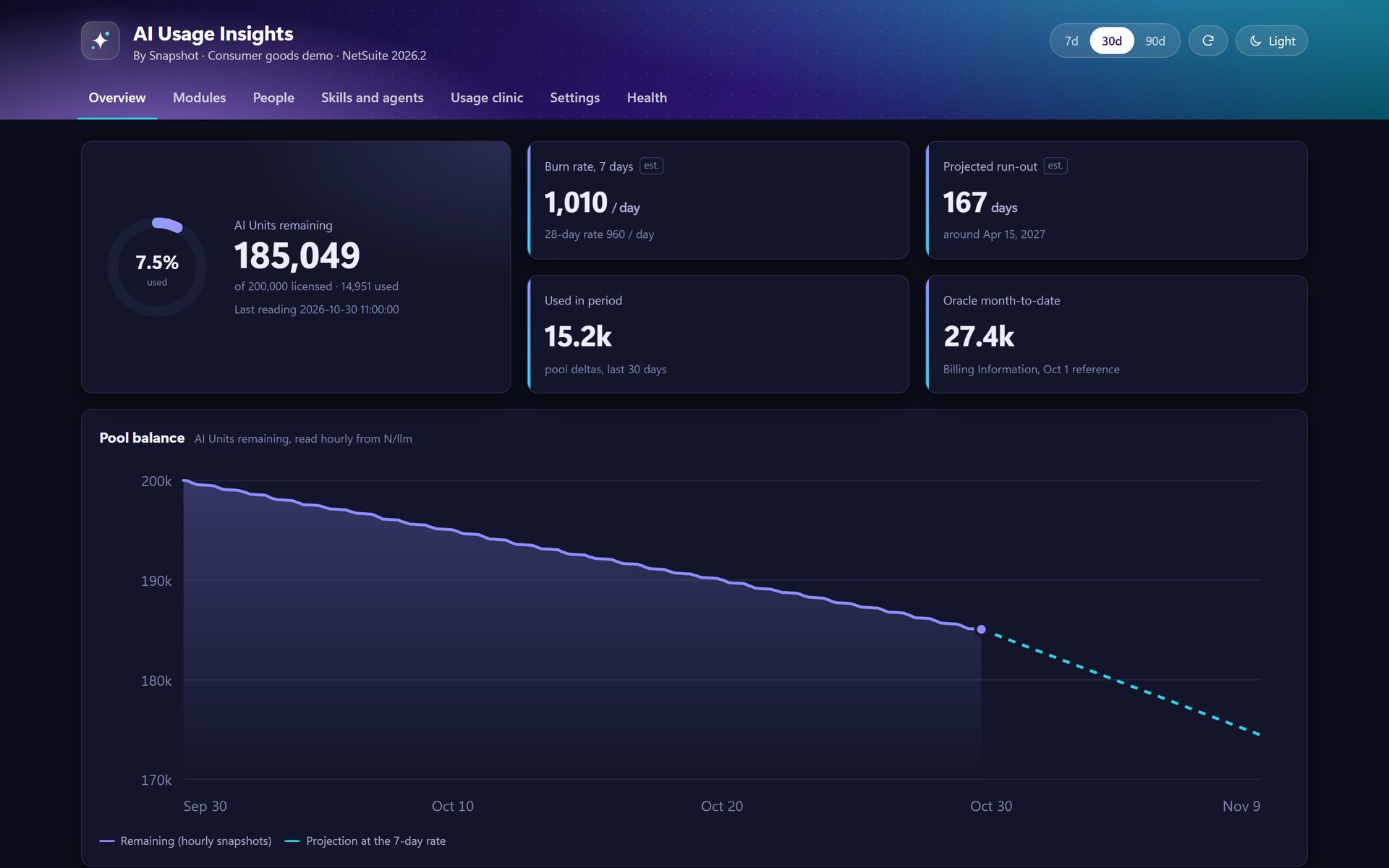
Pool balance and run-out date
AI Units remaining, read every hour, with the 7-day and 28-day burn rate, a projected run-out date, and NetSuite's own month-to-date figures alongside.
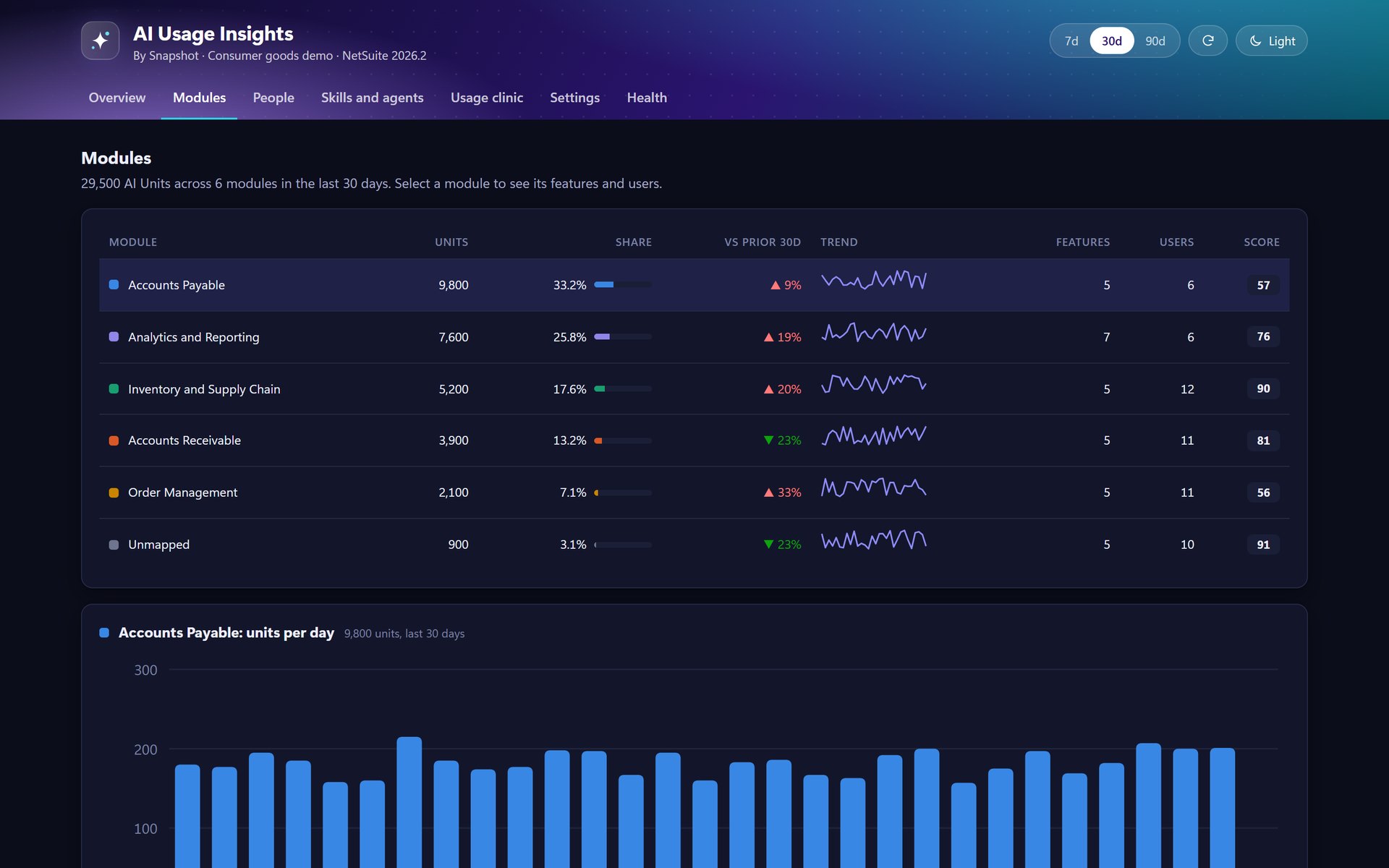
Spend by module and feature
Every AI call mapped to a module such as Accounts Payable or Analytics, with its share, its trend against the prior period, and a drill-down to features and users.
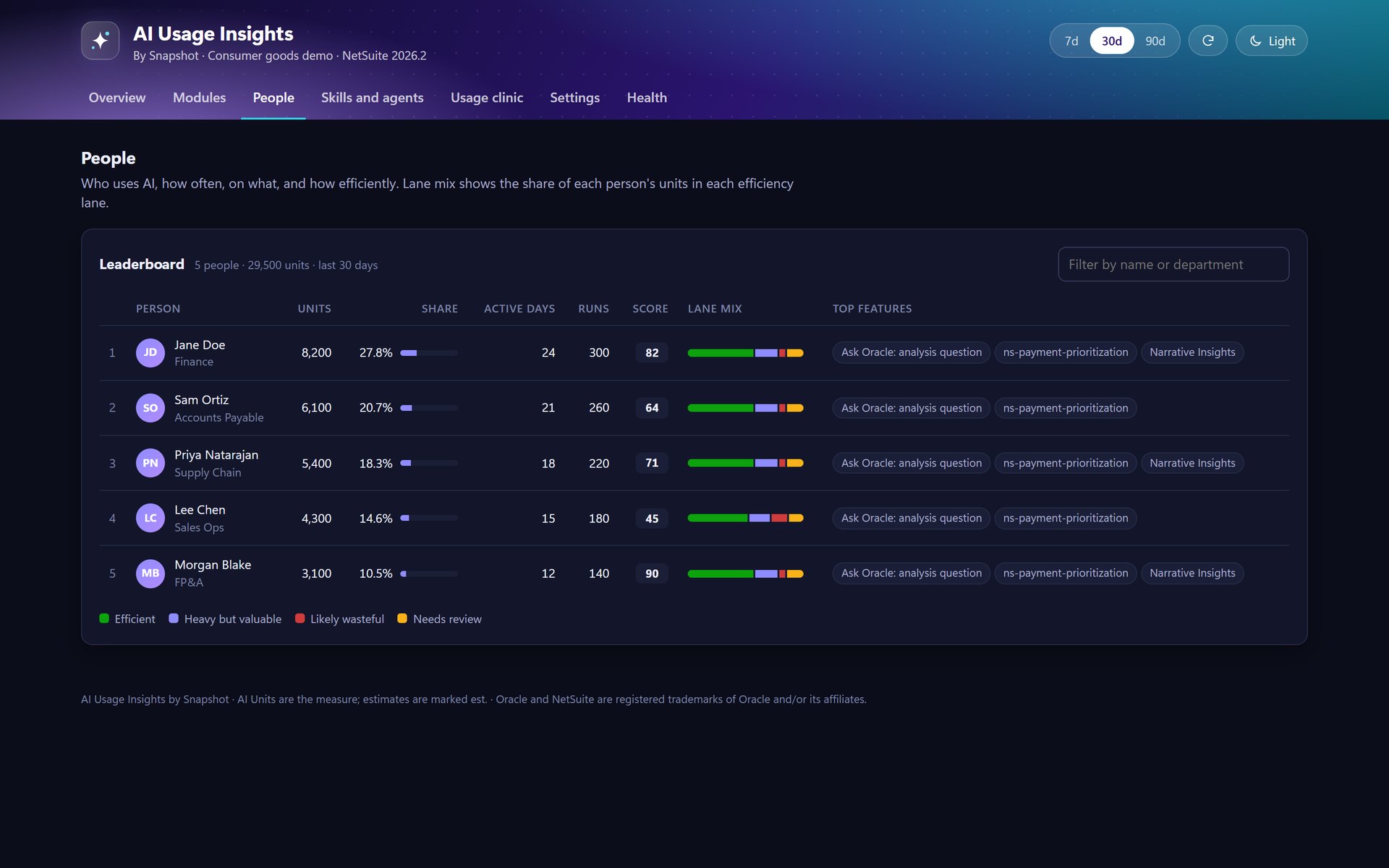
A people leaderboard
Who uses AI, how often, on what and how efficiently, with each person's mix of efficient, heavy-but-valuable and likely wasteful use.
Skills and agents by outcome
Units per run and per record changed for agents and scheduled skills, so an unattended agent that spends without changing anything stands out.
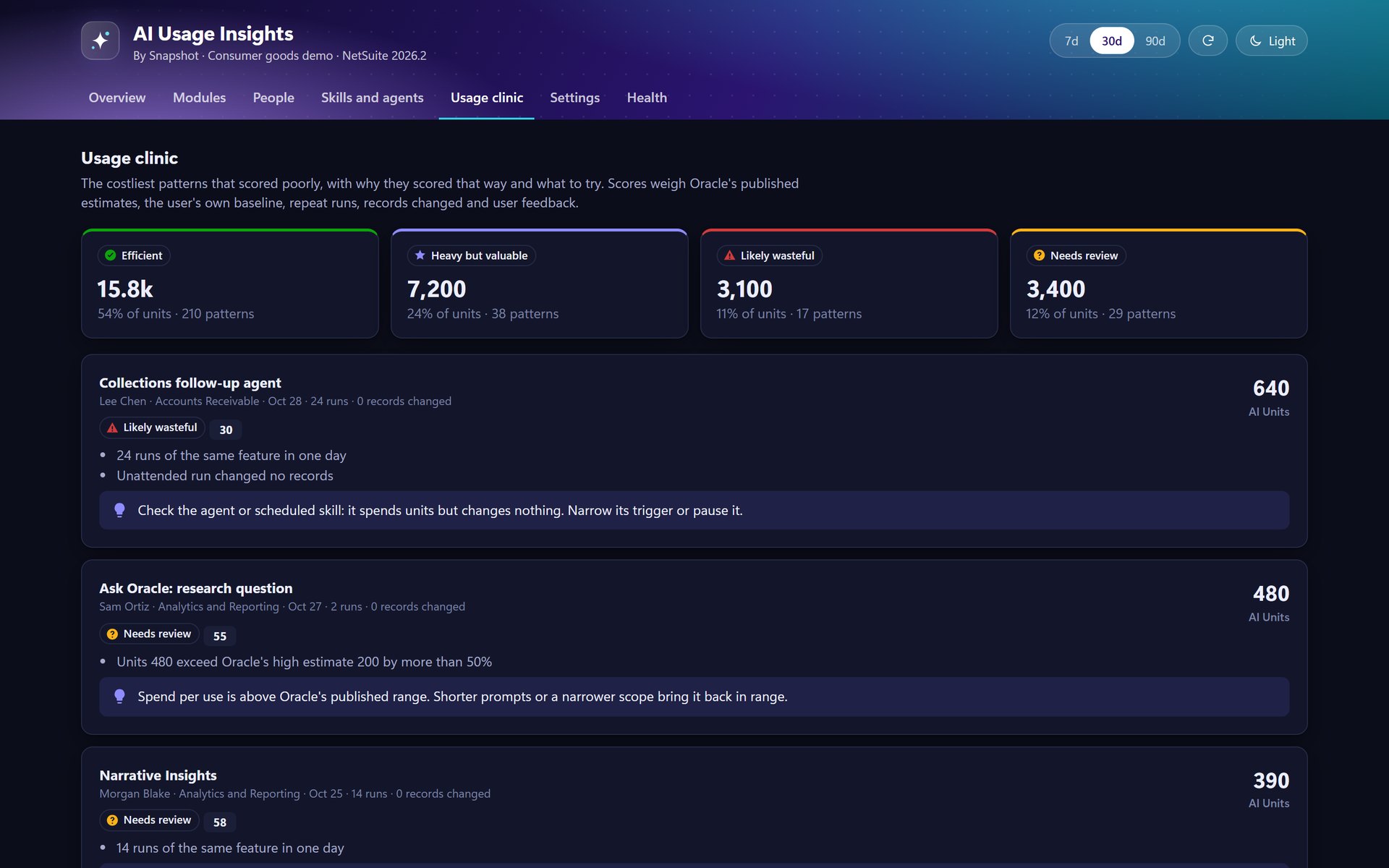
A usage clinic
The costliest low-scoring patterns, why each scored that way and what to try, scored against published estimates, each user's baseline and repeat runs.
Alerts, roles & setup
Email or webhook alerts when AI Unit use crosses a threshold you set, role-based access, and a setup assistant that loads sensible defaults in one click.
From the CFO's budget to the admin's settings.
Insight from the data NetSuite already keeps.
- Nothing to tag.The pool balance comes from NetSuite's own AI Unit reading and each AI call from NetSuite's AI Unit usage feed, so there is nothing to instrument or tag.
- Kept in your account.AI calls, daily rollups and scores are stored as custom records in your NetSuite account, and re-syncs never count a call twice.
- Built for NetSuite Next.AI Units are the measure NetSuite Next uses for AI, so the app reports in the same unit your account is licensed in, with your own roles and permissions.
See where your NetSuite Next AI Units are going
Tell us how your teams use Ask Oracle, AI skills and agents today, and a NetSuite specialist will walk you through AI Usage Insights in a NetSuite Next account.
Book an AI Usage Insights demo
FAQ
Questions about AI Usage Insights
Don't see yours? Ask our NetSuite team and someone will get back to you.
What is AI Usage Insights?
AI Usage Insights is a NetSuite Next app from Snapshot Design that shows where your AI Units go: by module, feature, person and day, with a burn-rate projection, efficiency scores, a usage clinic and alerts. Everything is stored on custom records in your own NetSuite account.
Who is AI Usage Insights for?
It is for companies on NetSuite Next that use Ask Oracle, AI skills or agents, and for the CFOs, controllers and NetSuite admins who own the AI Unit budget and want to know what it buys.
Where does the data come from?
The app reads the AI Units remaining in your account every hour and pulls each AI call from NetSuite's AI Unit usage feed whenever an authorized user opens it. A CSV import is there as a fallback.
How does it score efficiency?
Each pattern of use lands in one of four lanes: efficient, heavy but valuable, likely wasteful or needs review. Scores weigh published per-feature estimates, each user's own baseline, repeat runs, records changed and user feedback.
Can it warn us before the pool runs out?
Yes. Alert rules send an email or a webhook when AI Unit use crosses a threshold you set, such as 80 percent of the pool used, and the overview always shows the projected run-out date.
Does it change how our AI features work?
No. AI Usage Insights only reads usage. It does not change Ask Oracle, AI skills or agents, and access to people-level detail follows the roles you set.