Commission Manager: Sales Commissions on Margin, Inside NetSuite
A NetSuite app that calculates commissions on the native invoice line: margin plans with tiers and accelerators, crediting and splits, automatic clawbacks, pay-on-cash release, statements every rep can trace, and payouts that tie to the cent.


From the plan to the payout, on the invoices you already have.
Margin plans a controller can read
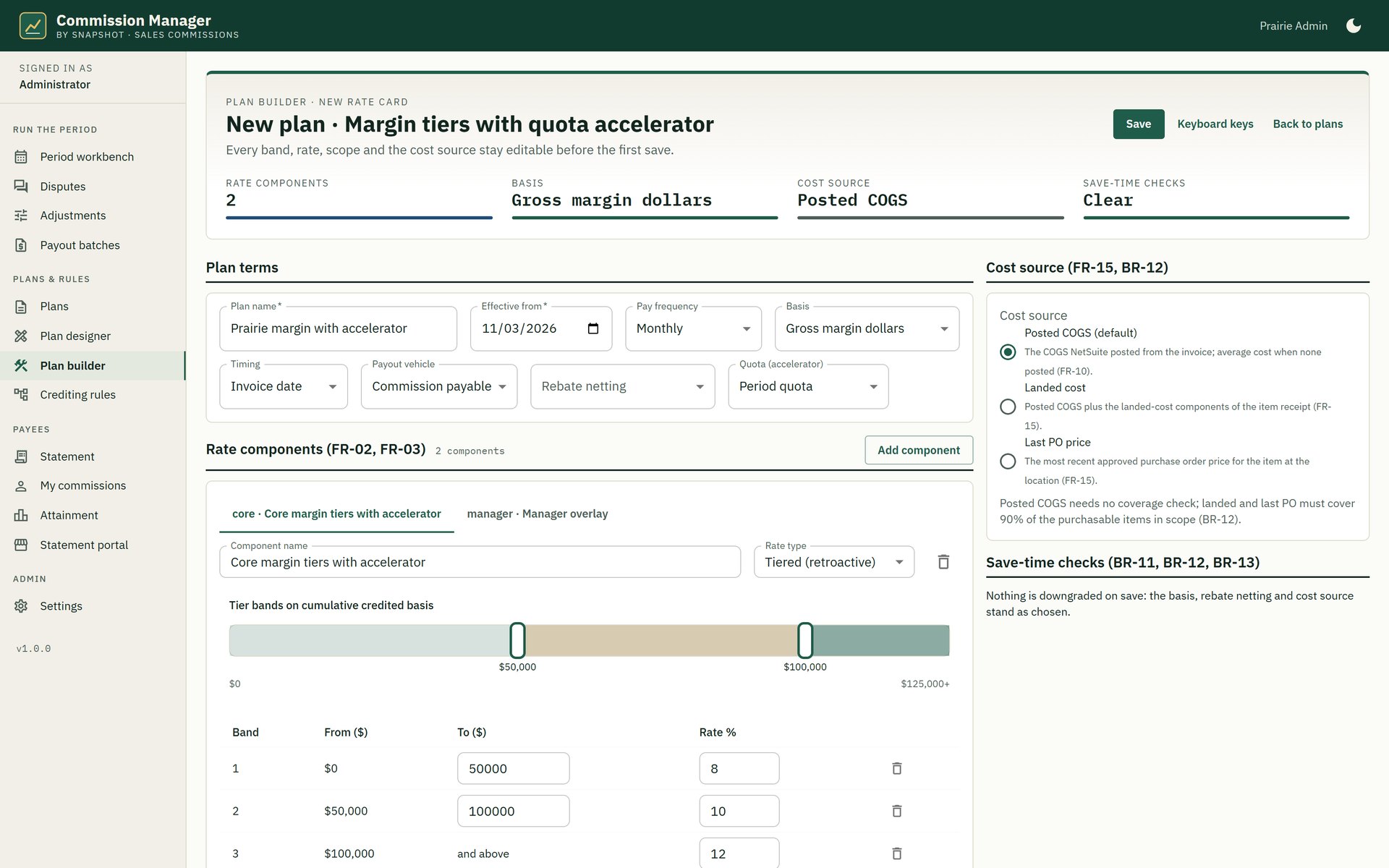
Flat, tiered, retroactive and quota-accelerated rates on revenue, gross margin or net margin after rebates, with posted, landed or last-PO cost.
Crediting without phantom reps
Sales team, customer default rep, territory and specialist overlays resolve in a fixed order, and a variable split takes one approval, not a workaround.
Clawbacks that run themselves
Credit memos, refunds and write-offs reverse the right commission line in the open period, and a negative balance carries forward at a cap you set.
Pay on invoice or on cash
Earn when you invoice and release as the customer pays, net of discounts, so short pays and partial payments release only what was collected.
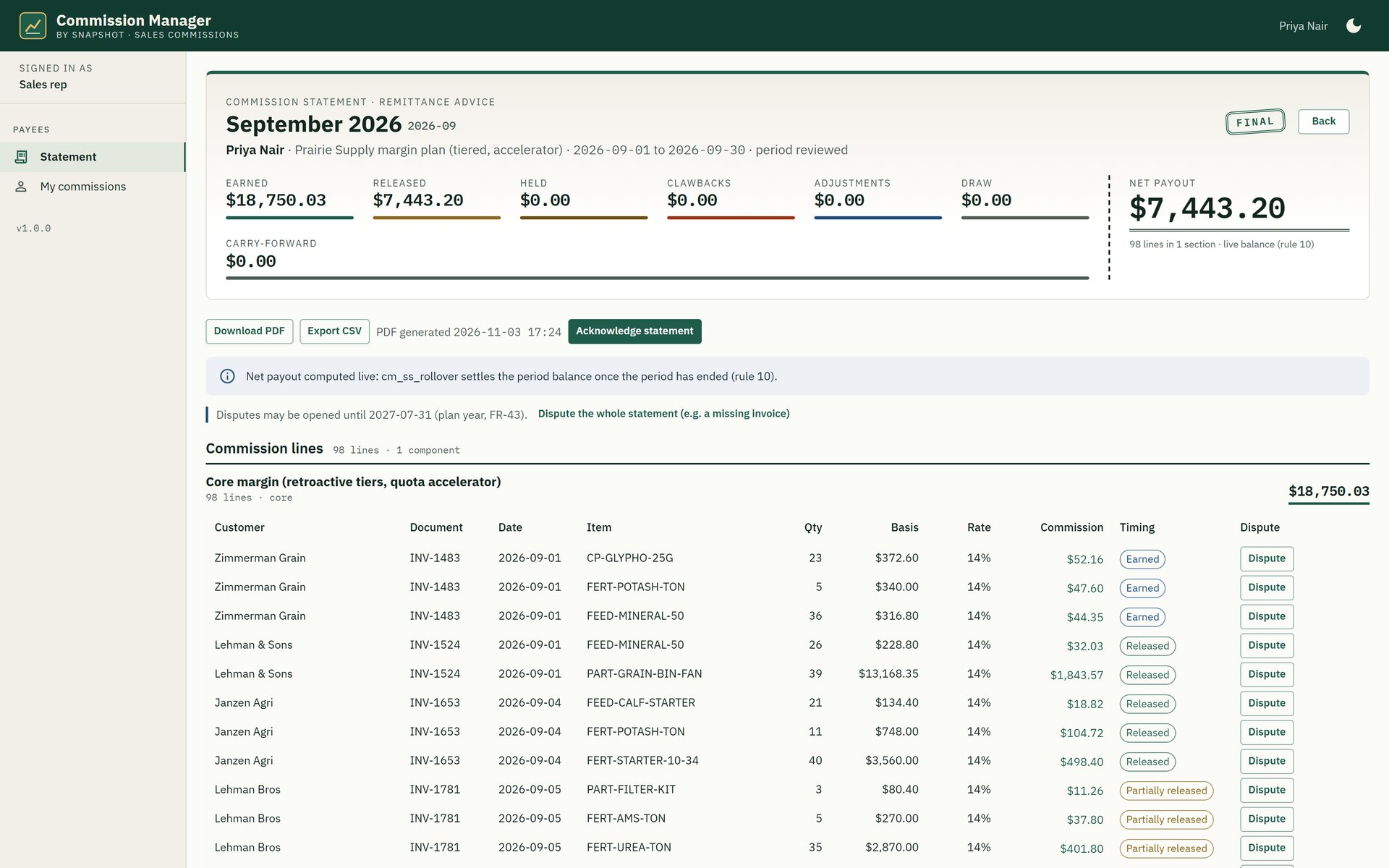
Statements reps can trace
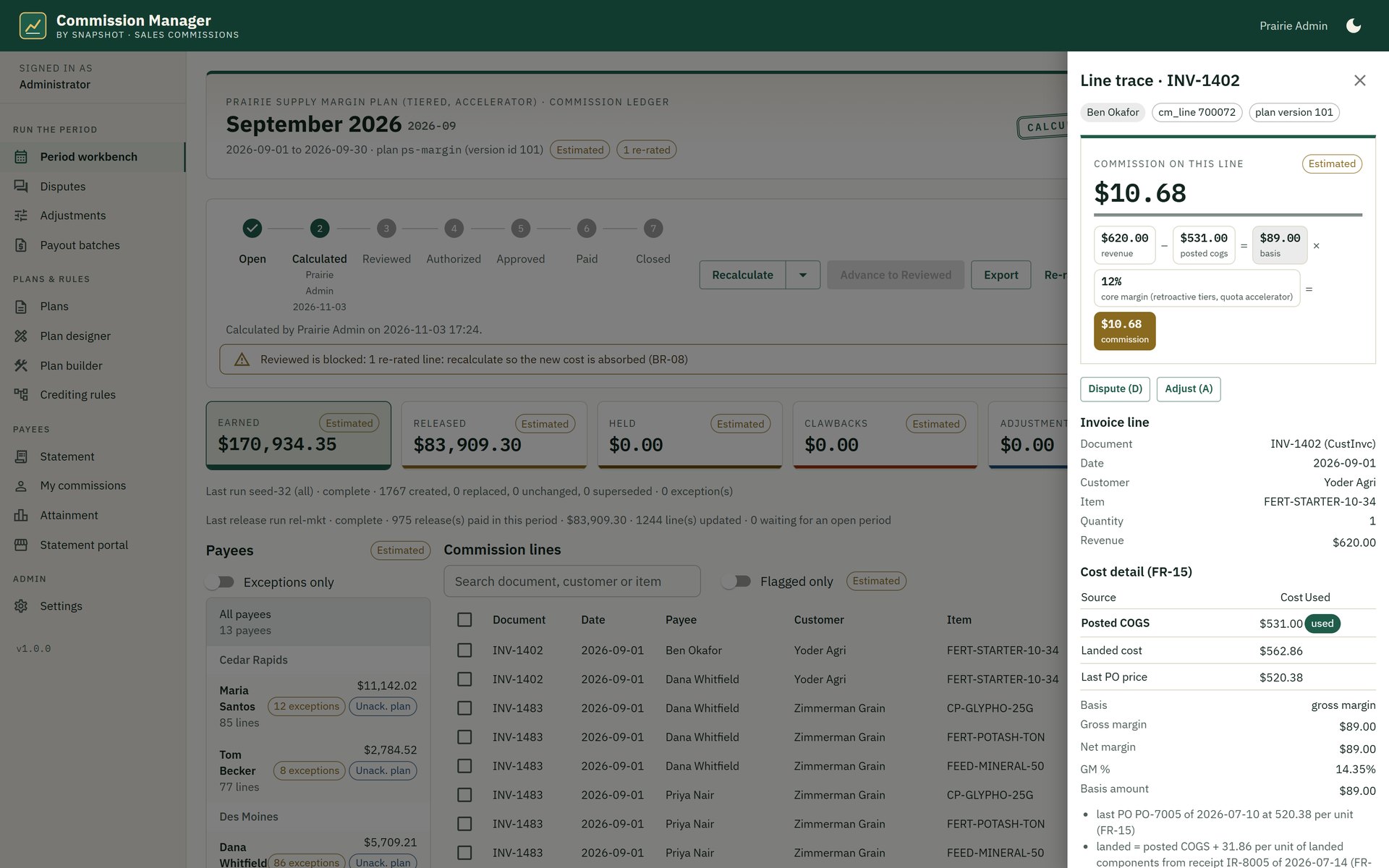
Every amount opens to the invoice line, the cost used, the crediting rule and the tier math, and a rep can dispute a line right there.
Payouts that tie to the cent
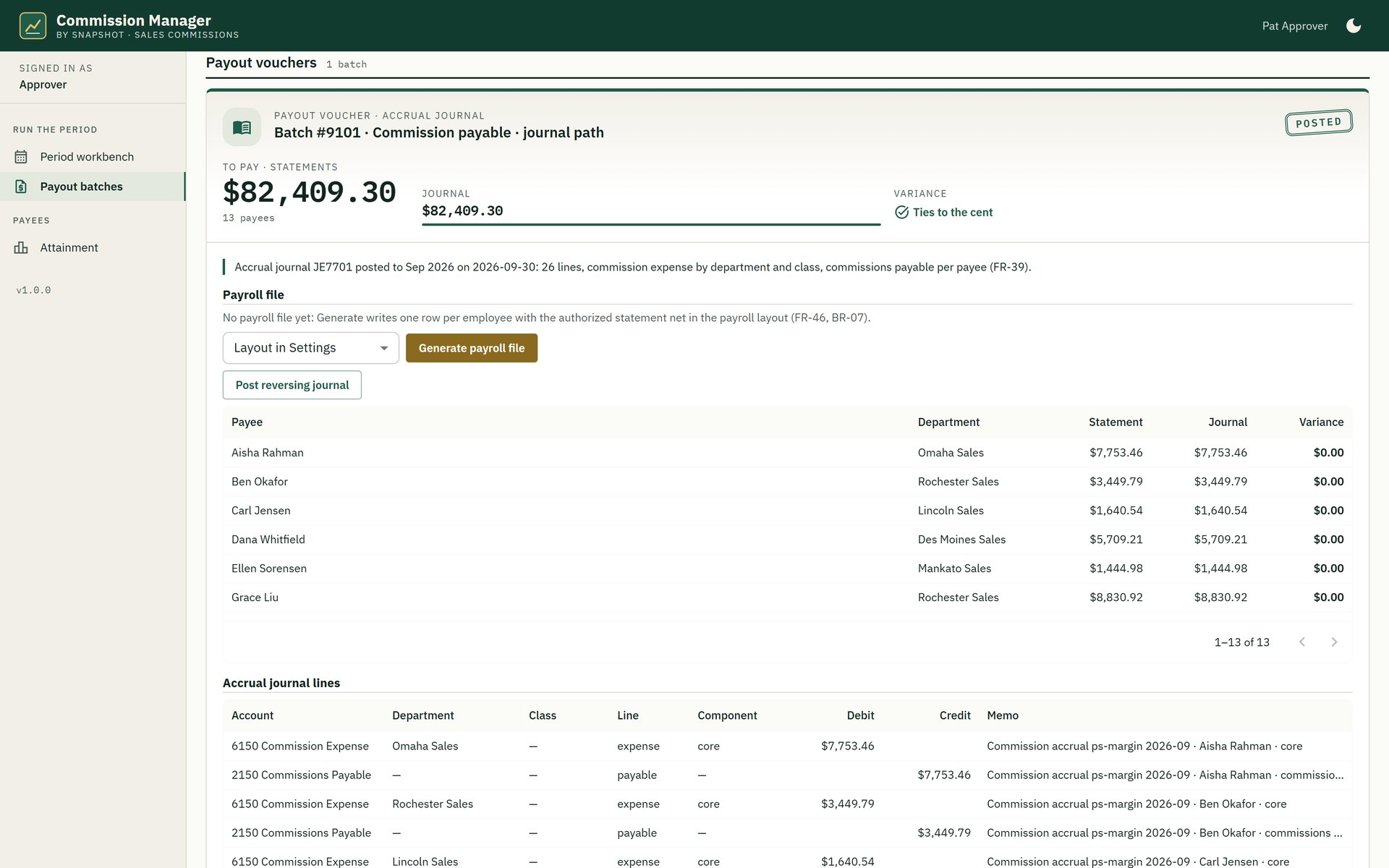
An accrual journal and payroll file for employees and a vendor bill per broker, reconciled against the statements on one payout register.
From the commission administrator to the broker.
Calculated on native NetSuite records, never copied out.
- Reads the native invoice line.Invoices, credit memos, payments, items and employees stay in NetSuite. Commission Manager reads them where they are, so there is no sync to break and nothing to reconcile.
- Writes only what is its own.Commission lines, statements, disputes and payout batches are custom records in your account, and payouts post as NetSuite journals and vendor bills.
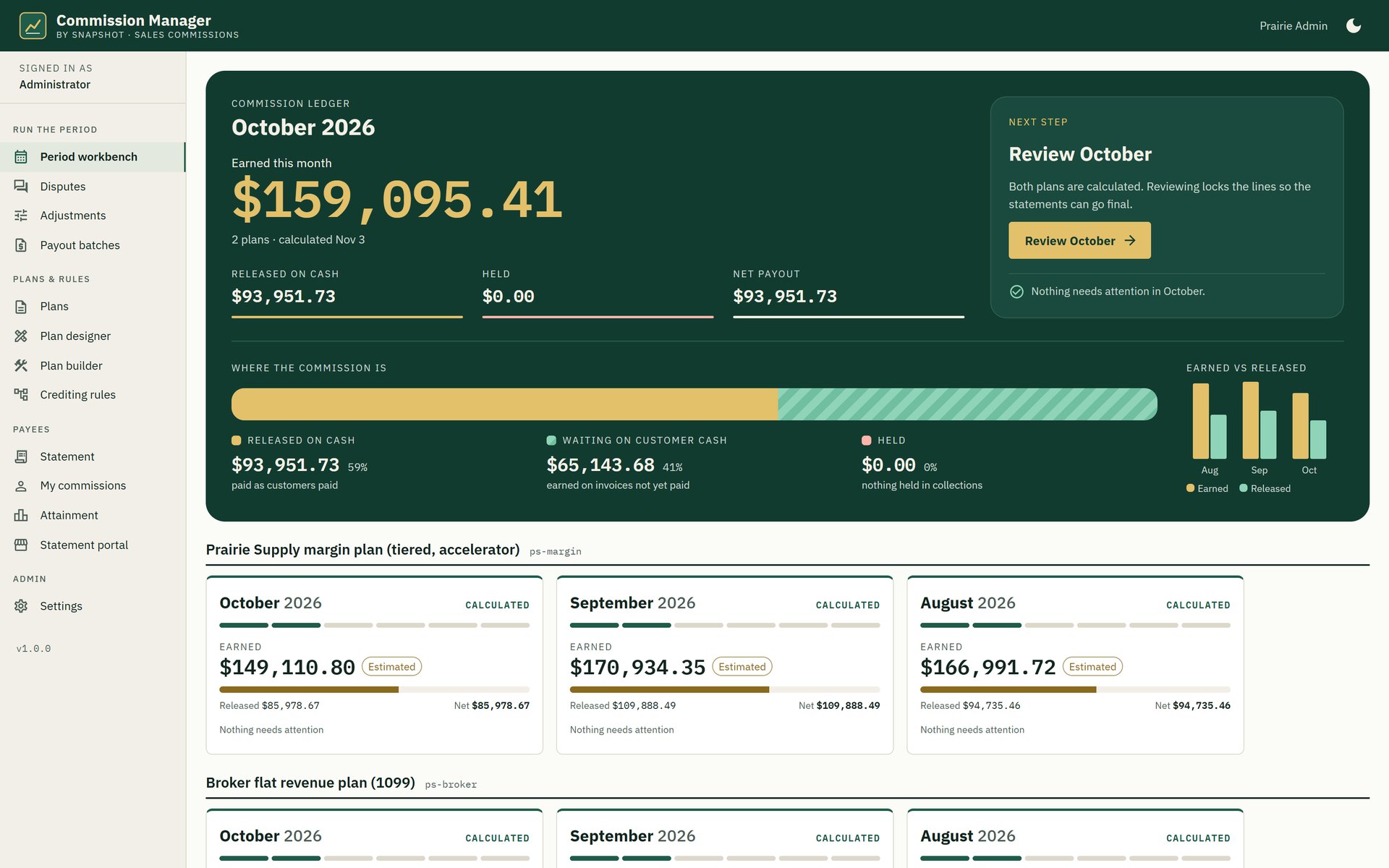
- One period, seven steps.Each period moves from Open through Calculated, Reviewed, Authorized, Approved and Paid to Closed, every step stamped with who did it and when.
See your commission close run inside NetSuite
Tell us how you pay commissions today and who is on the plan, and a NetSuite specialist will walk you through a full commission close in Commission Manager on a demo company.
Book a Commission Manager demo
FAQ
Questions about Commission Manager
Don't see yours? Ask our NetSuite team and someone will get back to you.
What is Commission Manager?
Commission Manager is a NetSuite app from Snapshot Design that calculates sales commissions on the native invoice line inside your own NetSuite account: margin-based plans, crediting and splits, clawbacks, pay-on-cash release, rep statements with line-level trace, disputes and payouts.
Who is Commission Manager for?
It is built for distributors on NetSuite that pay reps, branch managers and brokers on margin, and for the commission administrators, controllers and approvers who run the close each month.
Can it pay on margin after landed cost and rebates?
Yes. Each plan picks its basis (revenue, gross margin or net margin after rebates) and its cost source (posted COGS, landed cost or last purchase order price). Every commission line keeps all three costs, so the trace shows which one was used.
How are splits and clawbacks handled?
Crediting rules resolve in a fixed order, from the sales team on the transaction to the customer default rep, territory and specialist overlays, and a variable split needs one manager approval. Credit memos, refunds and write-offs create the negative line for the original payee automatically.
How are commissions paid out?
Employees are paid through an accrual journal and a payroll file in your provider layout, and brokers through a vendor bill each. The payout register checks that the journal ties to the statements to the cent before a period can be marked paid.
Does our data leave NetSuite?
No. Commission Manager runs in your NetSuite account and reads invoices, payments, items and employees where they are. Its own results are stored as custom records in the same account.