Skip to the main content.
Get Started

Stay Connected

Sign up to hear about Snapshot's latest news and projects!

Suitelet · Automotive parts distributionAvailable

Crossfire: Auto Parts Distribution, Built on NetSuite

A NetSuite app for aftermarket parts distributors: VIN to fitted part at the counter, interchange and supersession, core charges and the core bank, warranty claims with a tag, returns with a reason, and the hot-shot delivery board.

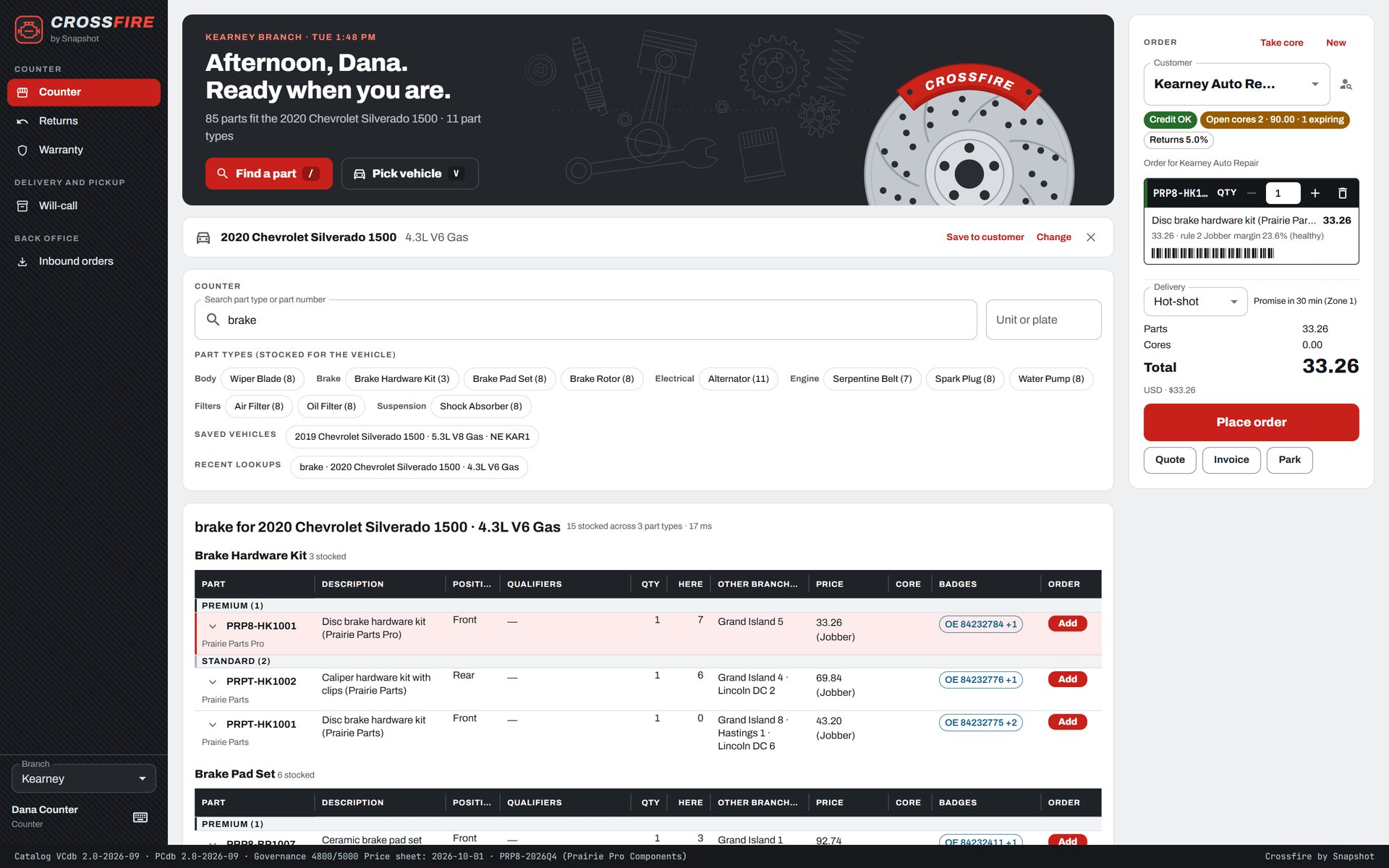
Crossfire counter for a demo parts distributor: a 2020 Chevrolet Silverado 1500 selected, a search for brake parts listing fitted brake hardware kits by brand tier with stock by branch and price, and a disc brake hardware kit in the order
The counter. Pick the vehicle, search a part type, and only the stocked parts that fit show up, by brand tier, with stock here and at the other branches. Demo data.
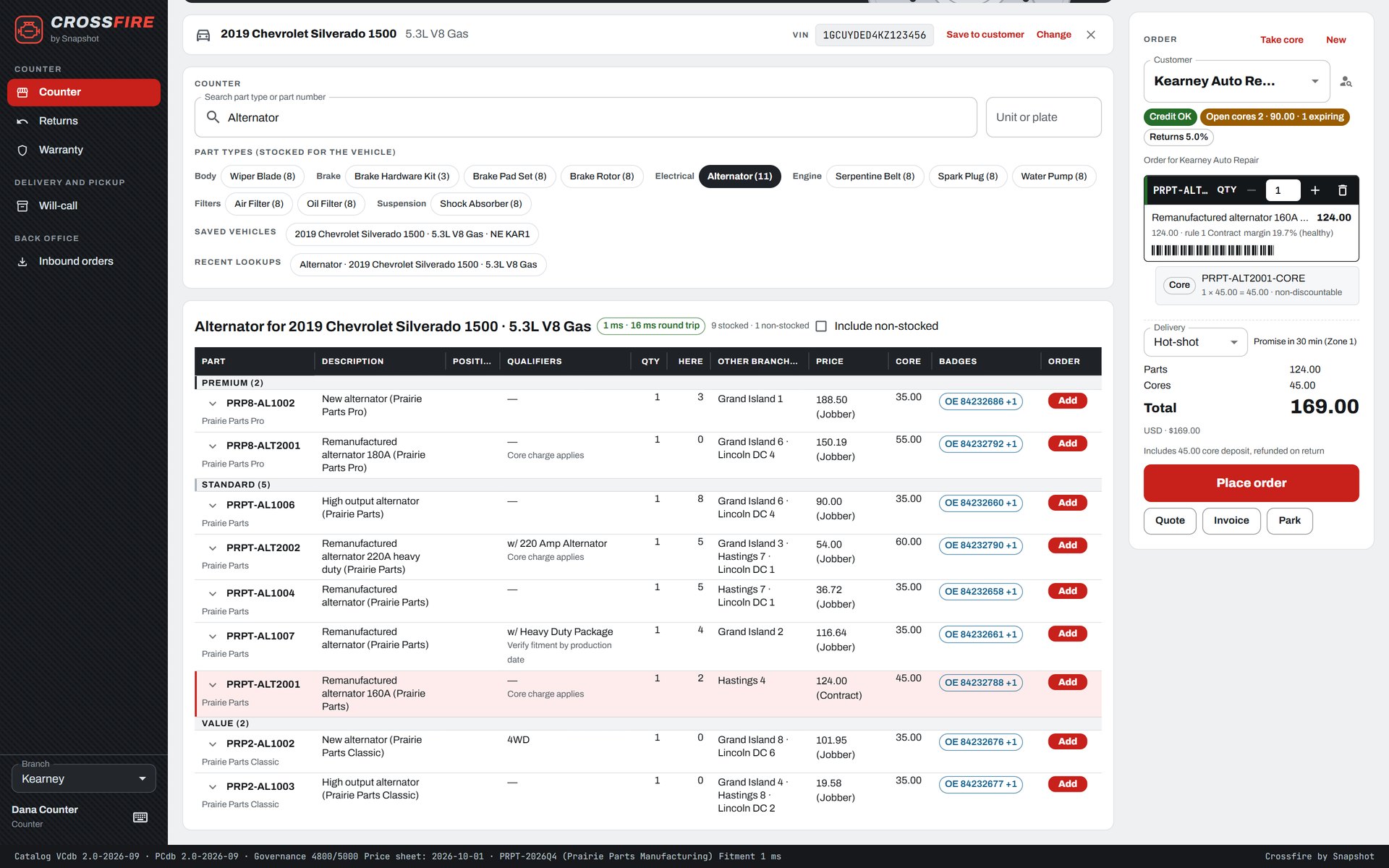
Crossfire counter after a VIN decode for a 2019 Chevrolet Silverado 1500: fitted alternators by brand tier with core charges, and an order with a remanufactured alternator at 124.00 and its 45.00 core line
VIN lookup with cores. A VIN decoded to the exact vehicle, the fitted alternators, and the remanufactured one in the order with its core charge added automatically. Demo data.
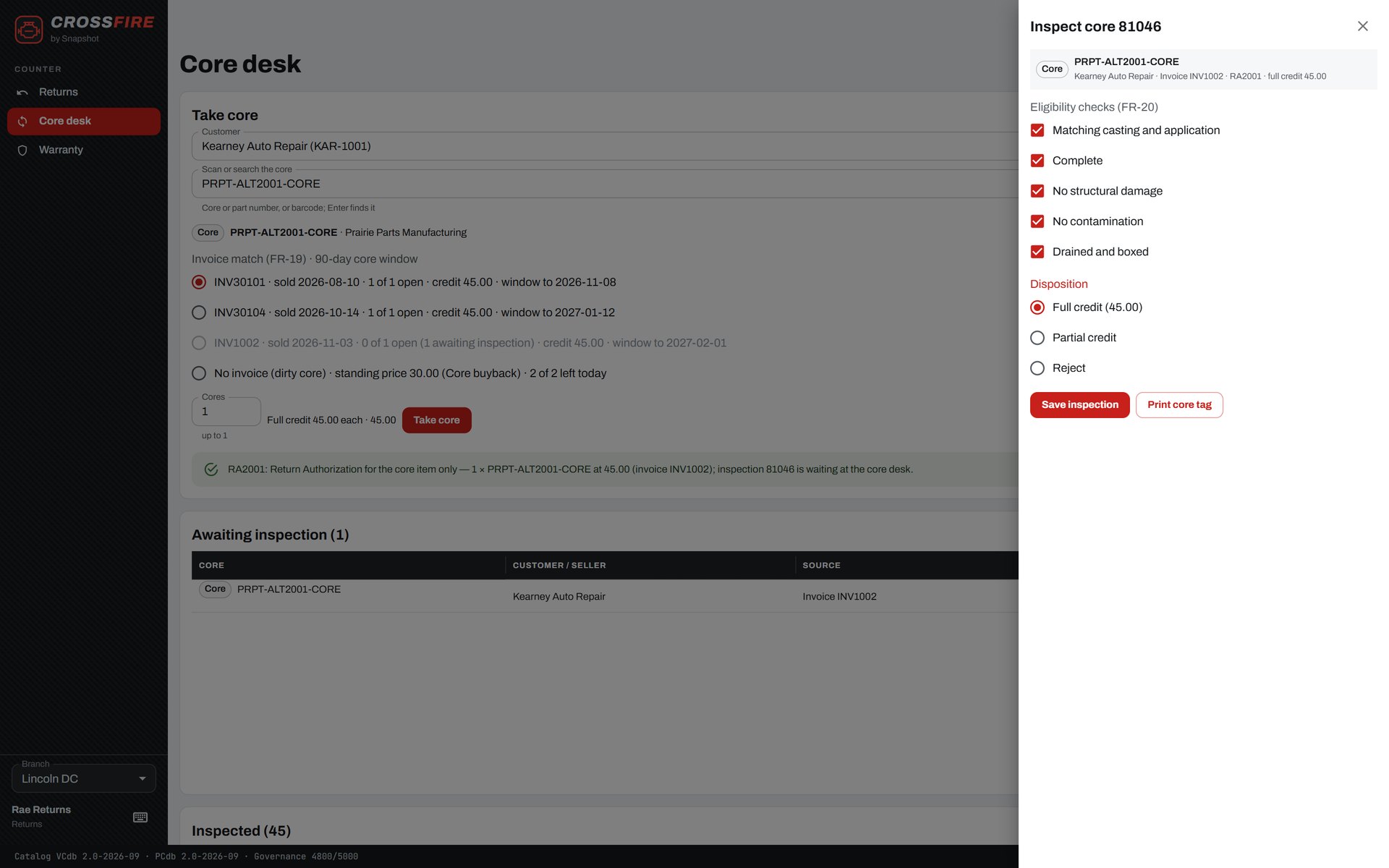
Crossfire core desk: an alternator core taken back against its invoice within the 90-day core window, and the inspection panel with five eligibility checks ticked and full credit selected
The core desk. A core taken back against the invoice it was sold on, then inspected against five eligibility checks before the customer is credited. Demo data.
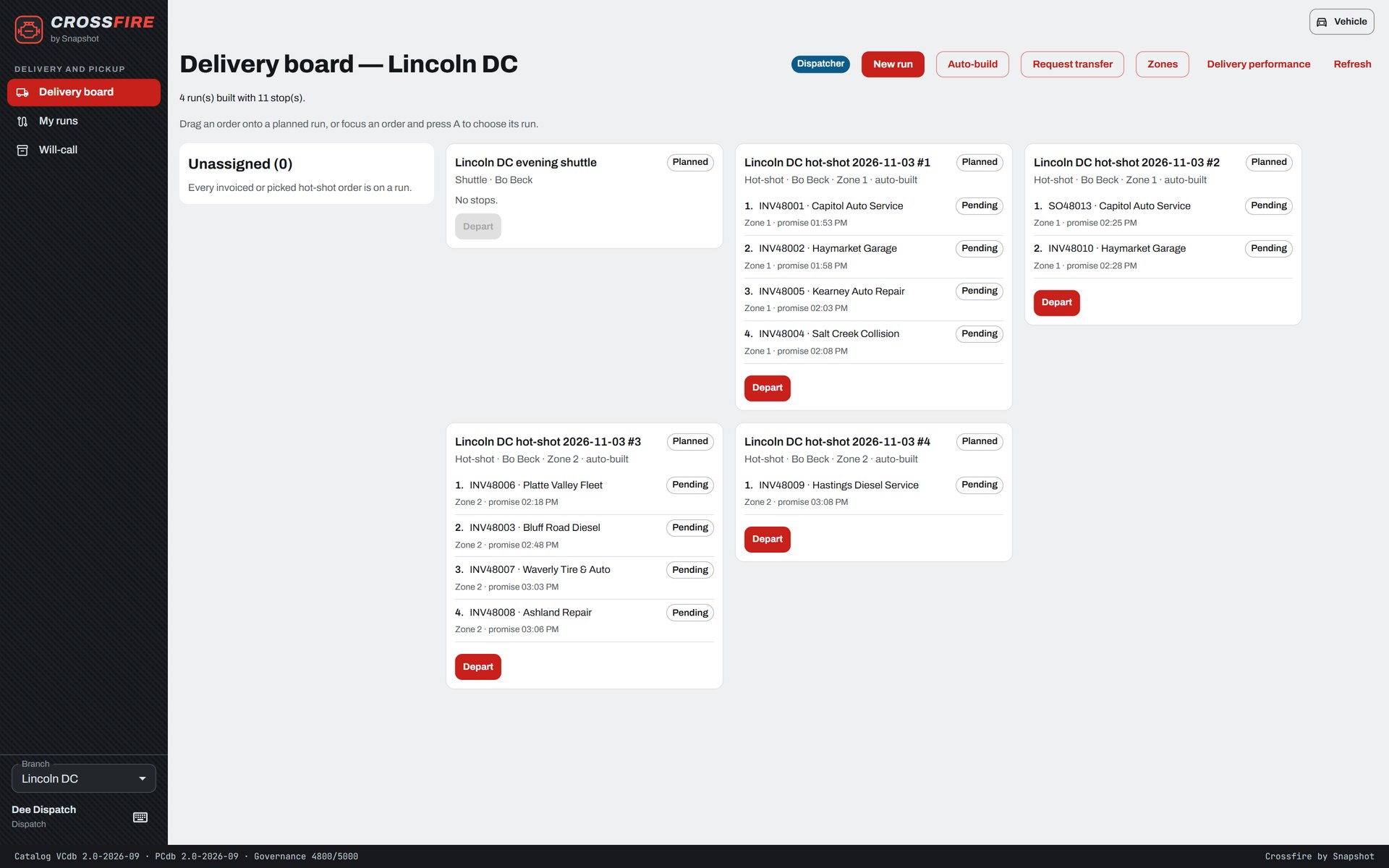
Crossfire delivery board for a distribution center: four auto-built hot-shot runs by zone with their stops, customers and promise times, and an evening shuttle
The delivery board. Hot-shot runs built automatically by zone and promise time, every invoiced order on a run. Demo data.
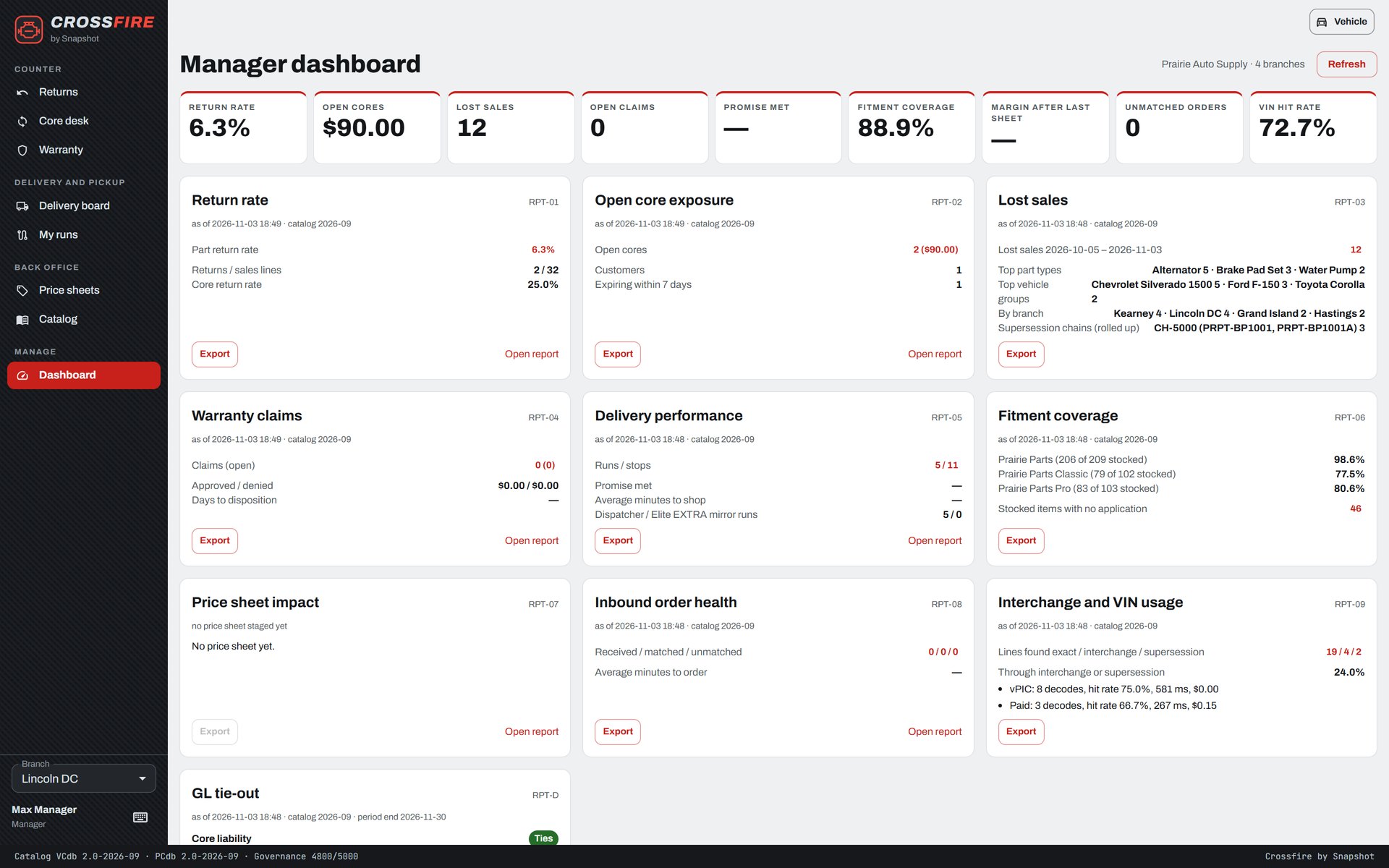
Crossfire manager dashboard across four branches: return rate, open cores, lost sales, open claims, fitment coverage and VIN hit rate tiles above report cards for each
The manager dashboard. Return rate, open core exposure, lost sales, warranty claims, delivery performance and fitment coverage across the branches. Demo data.
What's in the box

Everything a parts counter needs, on native NetSuite records.

VIN to fitted part

Decode a VIN or pick year, make, model and engine, and see only the stocked parts that fit, grouped by brand tier with on-hand at every branch.

Interchange and supersession

Search any OE, competitor or old part number and land on the item you stock, with the newest part in a supersession chain offered in one click.

Cores and the core bank

Core lines add themselves to the order, come back through a five-point inspection, and reconcile to each vendor’s core bank.

Warranty with a tag

Claims capture the VIN, mileage, failure code and installer, print a control tag and hold the part in quarantine until the vendor answers.

Returns that start with a reason

A reason code, an inspection and a disposition before anything touches inventory, with the restocking fee from a rule table.

Hot-shot delivery board

Build runs by zone and promise time, see every invoiced order on a run, and pick up cores and returns on the same stop.

The right screen for every role

From the parts counter to the controller.

CounterVIN, fitted parts, priced order
DispatcherRuns, zones and promise times
DriverStops and core pickups
Returns and warranty clerkInspections, tags, core bank
Catalog analystACES, PIES and price sheets
Branch managerReturns, cores and delivery
Outside salesCustomer history and vehicles
FinanceNative NetSuite
Why build on NetSuite?

The vehicle, the core and the run, without a second system.

  1. Every sale is a NetSuite sale.Counter orders, invoices, return authorizations and credit memos are native NetSuite transactions, with the vehicle and VIN on the order for reference.
  2. The catalog lives on your items.ACES fitment and PIES product data load onto your NetSuite items, so the counter, the price sheets and inventory all read the same part.
  3. Finance keeps one set of books.Core deposits sit in a liability account you choose and warranty credits follow each vendor’s policy, all in the NetSuite general ledger.

Bring a VIN and see it at the counter

Tell us how many branches you run and how you look up parts, handle cores and dispatch deliveries today, and a NetSuite specialist will walk you through Crossfire on a demo parts distributor.

FAQ

Questions about Crossfire

Don't see yours? Ask our NetSuite team and someone will get back to you.

What is Crossfire?

Crossfire is a NetSuite app from Snapshot Design for aftermarket auto parts distributors. It adds VIN and vehicle fitment lookup, interchange and supersession, core charges and the core bank, warranty claims, returns and a hot-shot delivery board to your NetSuite account, on native items and transactions.

Who is Crossfire for?

Warehouse distributors and jobber chains on NetSuite that sell parts against a vehicle to repair shops, fleets, dealers and walk-in customers, from the counter and the dispatcher to the returns clerk, the catalog analyst and the branch manager.

How does the parts lookup work?

The counter decodes a VIN or picks year, make, model and engine, then searches by part type or part number. Only stocked parts that fit the vehicle are listed, grouped by brand tier, with qualifiers, on-hand at each branch and the customer’s price.

How are cores handled?

A core line is added to the order automatically for any part that carries a core charge. When the core comes back it is matched to the invoice it was sold on, inspected against five checks and credited, and it moves through each vendor’s core bank until it ships back.

Where does the catalog data come from?

Crossfire loads ACES fitment and PIES product data onto your NetSuite items, and vendor price sheets load onto the same items, so the counter, pricing and inventory all read one part record.

Does Crossfire keep its own books?

No. Orders, invoices, return authorizations, credit memos and vendor returns are native NetSuite transactions, core deposits sit in a liability account you choose, and everything posts to the NetSuite general ledger.