
Rebate Engine: Every Rebate, SPA and Chargeback, Inside NetSuite
A NetSuite app that turns every vendor and customer agreement into a program, accrues what you have earned every night, shows where each tier will land, builds the claim in the vendor’s format and matches the credit that comes back.
From the agreement to the money in the bank.
Every agreement as a program
Retroactive or incremental volume tiers, growth against a baseline, ship-and-debit SPAs with end customers and caps, co-op funds and customer year-end rebates, each versioned.
Accruals that post themselves
A nightly run accrues earned-to-date and posts only the change as a journal, carrying the program, the period and the source line’s class, department and location.
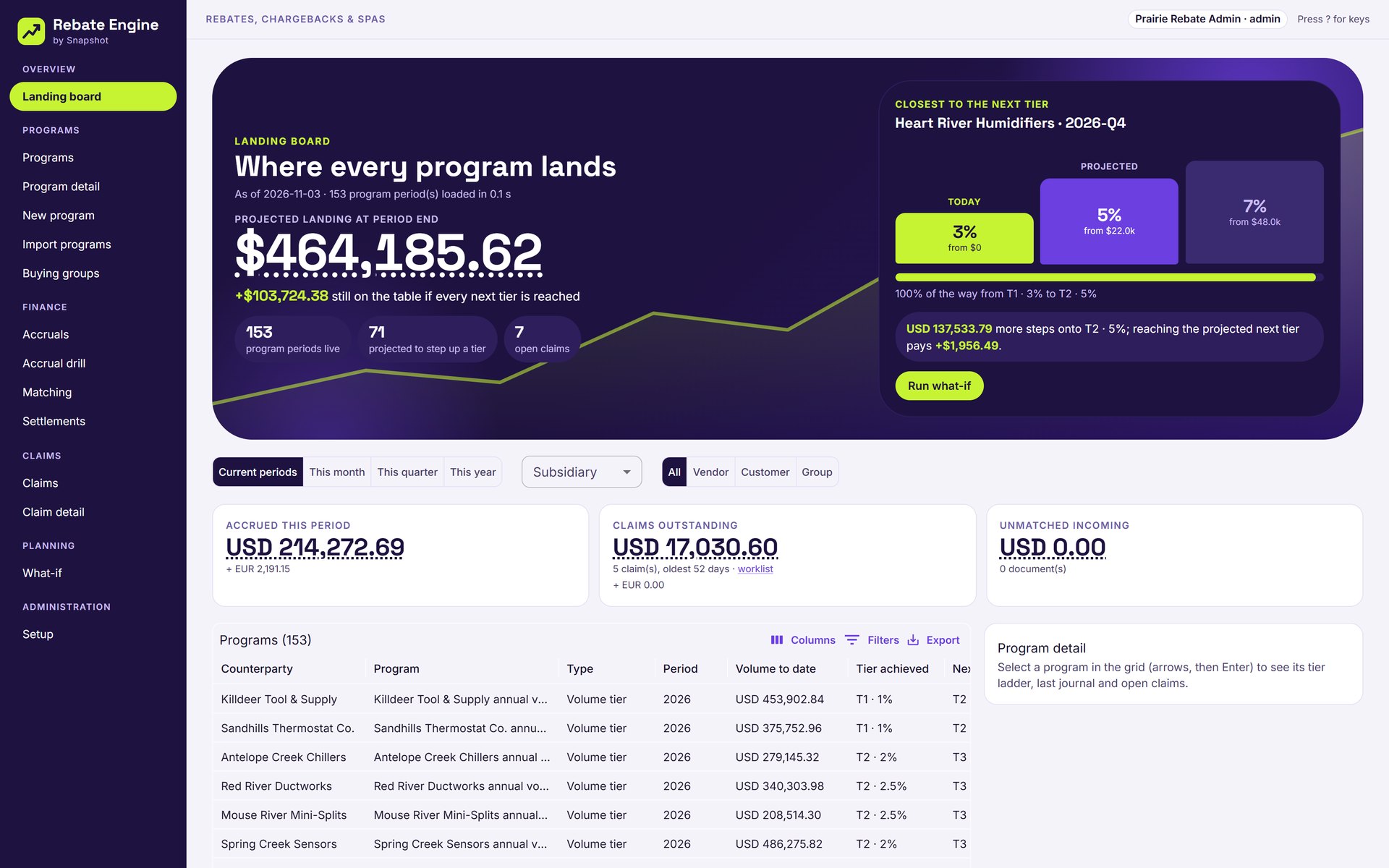
See where every tier lands
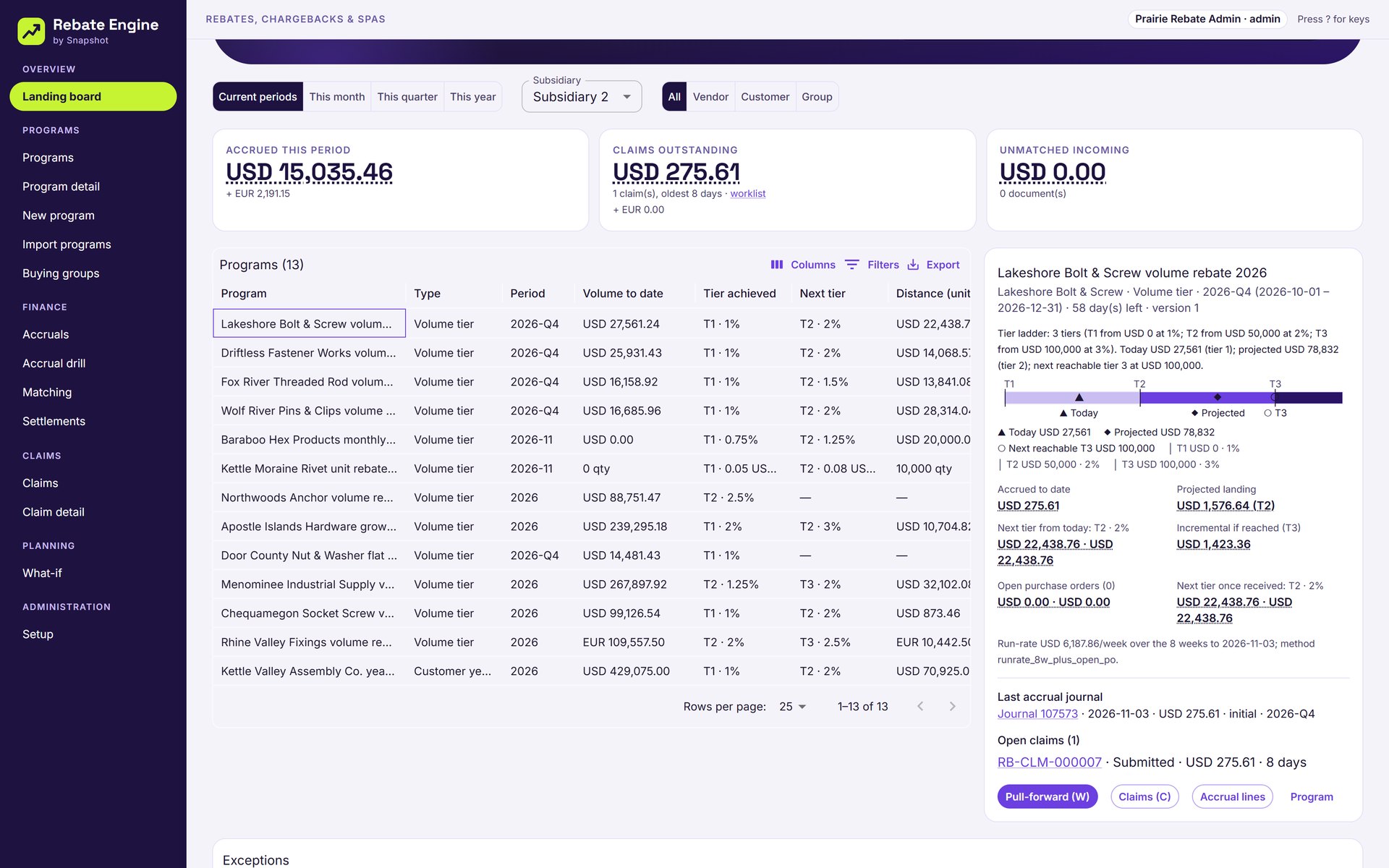
The landing board projects each program to period end from the run rate and open purchase orders, and shows the rebate still on the table at the next tier.
Claims in the vendor’s format
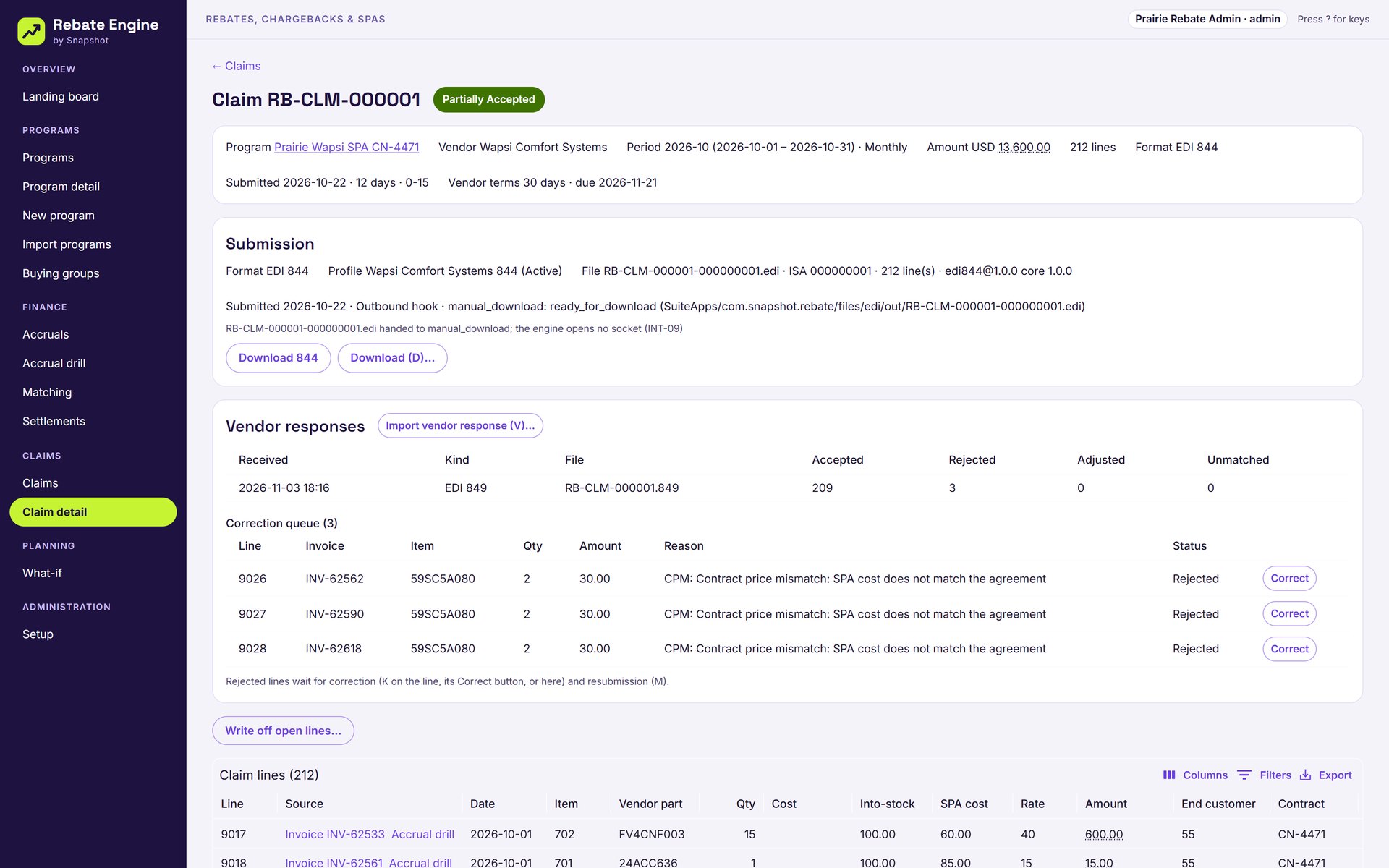
Claims build on each vendor’s calendar as an EDI 844, a CSV or Excel file or a portal pack, and rejected lines from the vendor’s 849 queue for correction.
Credits matched and settled
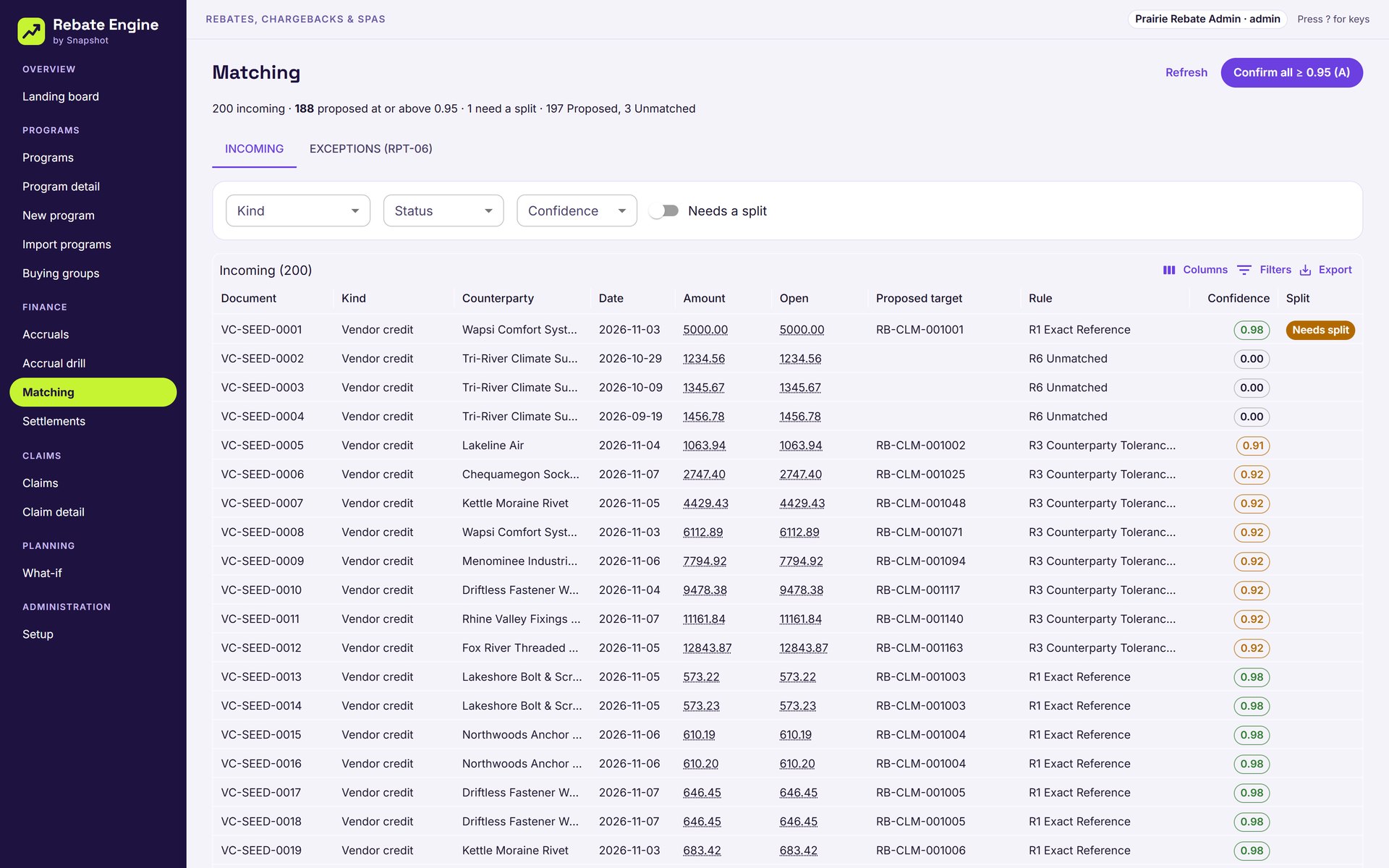
Incoming vendor credits and deductions match to open claims with an explained confidence score, then settle by vendor credit, bill, credit memo or journal.
What-if before you buy
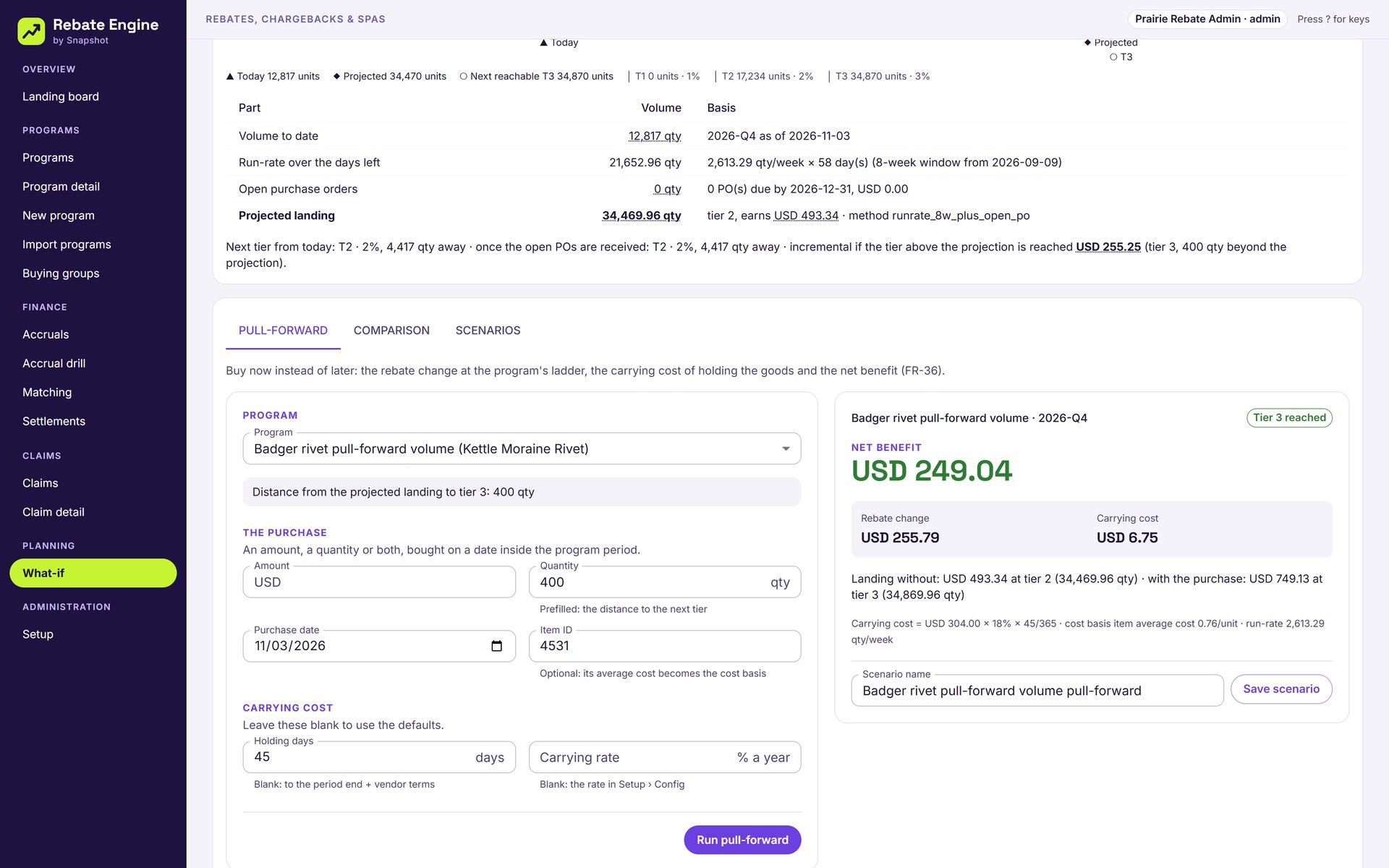
Pull a purchase forward to reach the next tier and see the rebate gained against the cost of carrying the stock, or compare two vendors’ programs for the same spend.
From the purchasing director to the controller.
Rebates on native NetSuite records, never in a side system.
- Reads the purchases and sales you already post.Vendor bills, item receipts, invoices and credit memos stay in NetSuite. Rebate Engine reads them where they are, so earned-to-date always matches the books.
- Money stays on native transactions.Accruals post as NetSuite journals and settlements as vendor credits, bills, credit memos or journals, so the general ledger stays the system of record.
- Every number explains itself.Hover any amount to see the program version, the rule and the transactions behind it, and drill from a claim line to the accrual and the source invoice.
See every rebate you are owed, inside NetSuite
Tell us which rebate and SPA programs you run today and how you claim them, and a NetSuite specialist will walk you through Rebate Engine on a demo distributor.
Book a Rebate Engine demo
FAQ
Questions about Rebate Engine
Don't see yours? Ask our NetSuite team and someone will get back to you.
What is Rebate Engine?
Rebate Engine is a NetSuite app from Snapshot Design for vendor and customer rebates, chargebacks, SPA (ship-and-debit) and promotional agreements. It accrues what you have earned every night, projects where each tier will land, builds and submits claims, and matches and settles the credits that come back, inside your own NetSuite account.
Which rebate programs does it handle?
Volume tiers paid retroactively or incrementally on quantity, amount or units; growth programs against prior year, trailing twelve months or a fixed baseline; ship-and-debit SPAs with end customers, quantity caps and claim-once rules; co-op and MDF funds; and customer year-end and loyalty programs.
How are rebates accrued?
A nightly run works out earned-to-date for every program and posts only the change as a journal, never a reverse and repost. Each line carries the program, the period and the source line’s class, department and location, and the controller locks a period after month-end close.
How do claims get to the vendor?
Each vendor’s claims build on its own calendar as an EDI 844, a CSV or Excel file in the vendor’s layout, or a portal pack with a PDF cover. An EDI profile is checked against a stored sample before it is used, and rejected lines from the vendor’s 849 response queue for correction and resubmission.
How does matching work?
Incoming vendor credits and deductions are matched to open claims by six ordered rules, each with a confidence score that explains why. Everything at 0.95 or above confirms in one step, and a credit that covers more than one claim can be split before it settles.
Does our data leave NetSuite?
No. Rebate Engine runs in your NetSuite account and reads vendor bills, receipts, invoices and credit memos where they are. Accruals and settlements post as native NetSuite transactions, and its own results are stored as custom records in the same account.