
Implementation Insights: Prove Your NetSuite Go-Live Is Ready
A NetSuite app that runs inside your own account and shows whether the implementation is ready to go live: readiness against an industry baseline, configuration drift, migration reconciliation, UAT with evidence and a live go/no-go.
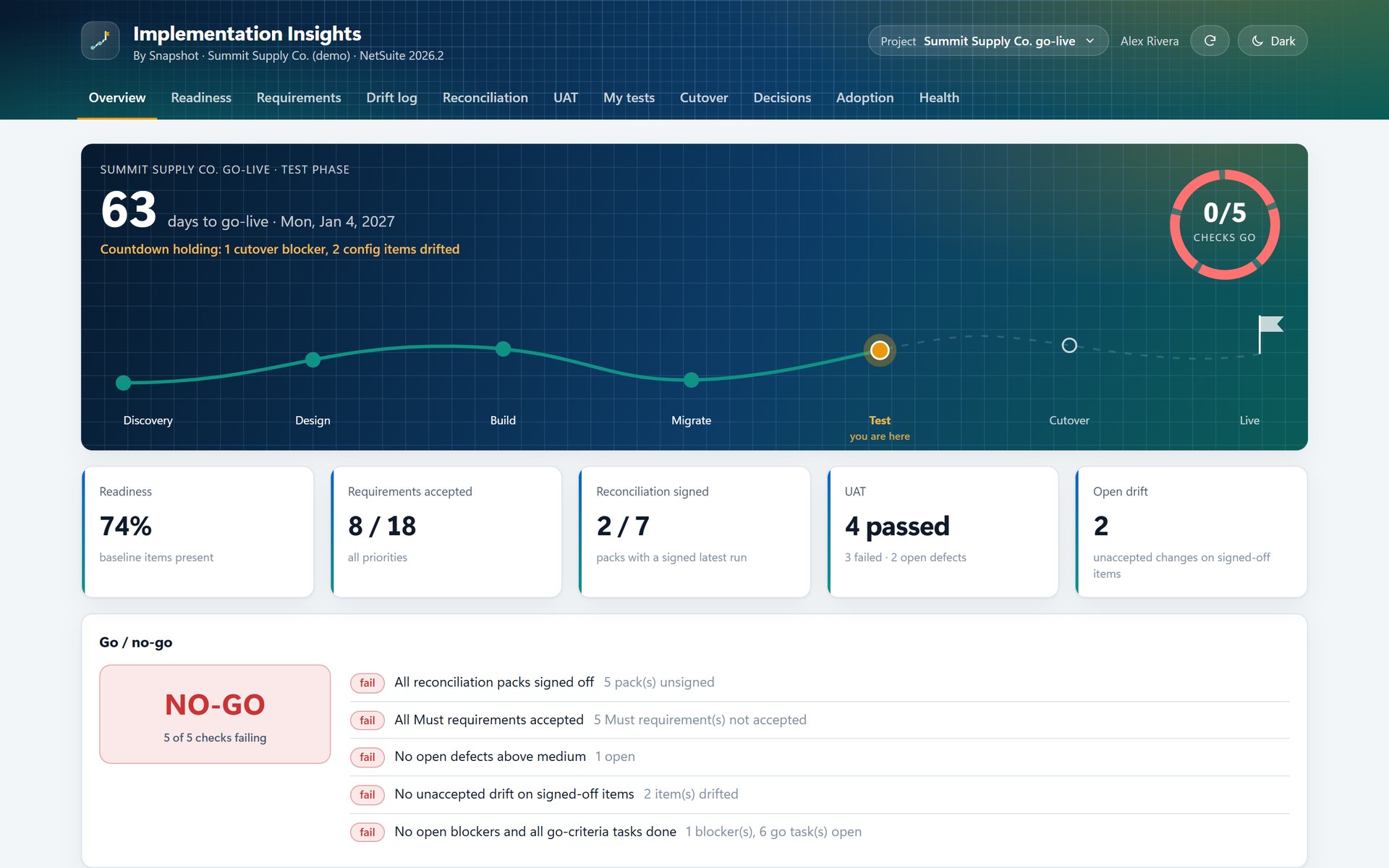
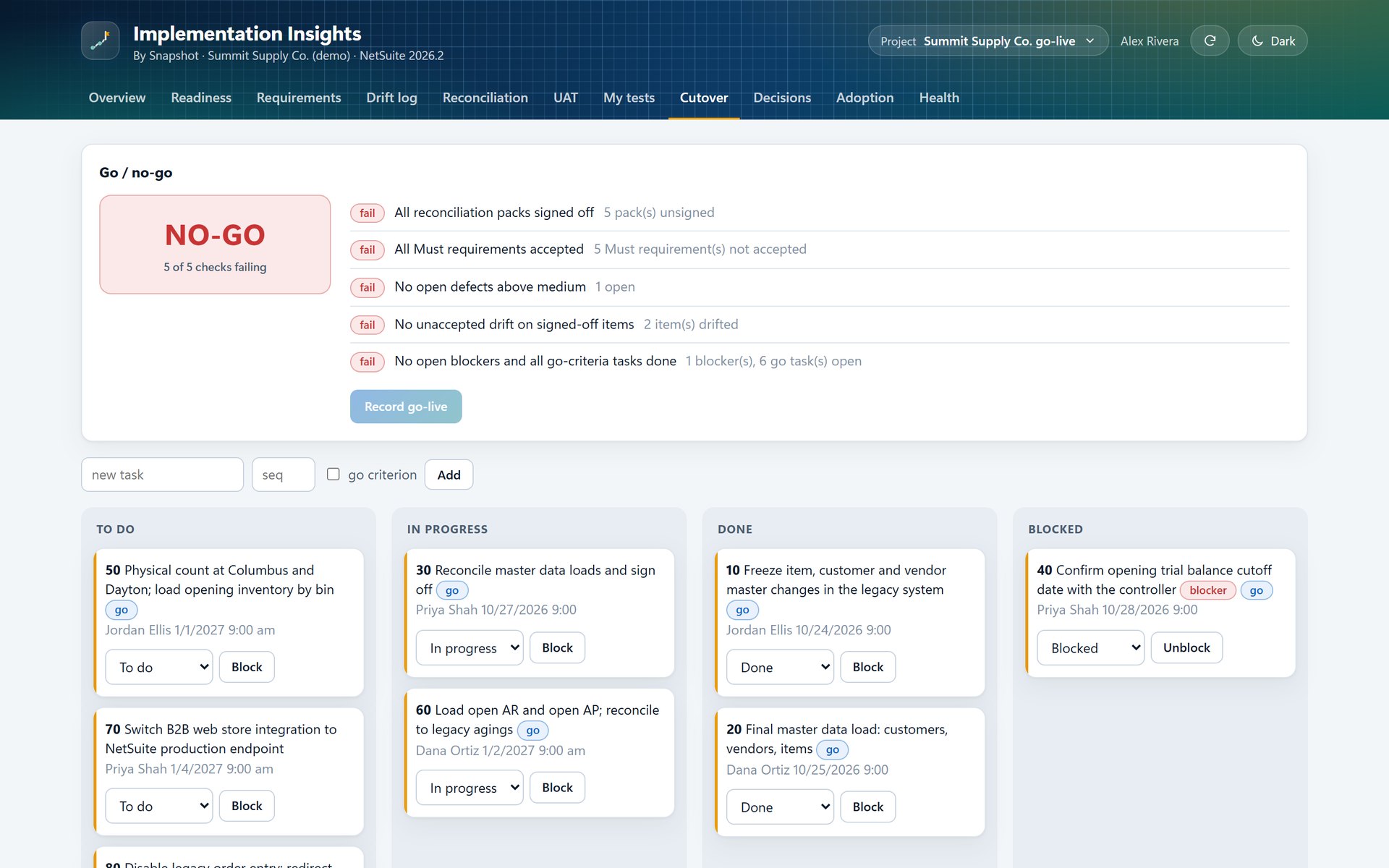
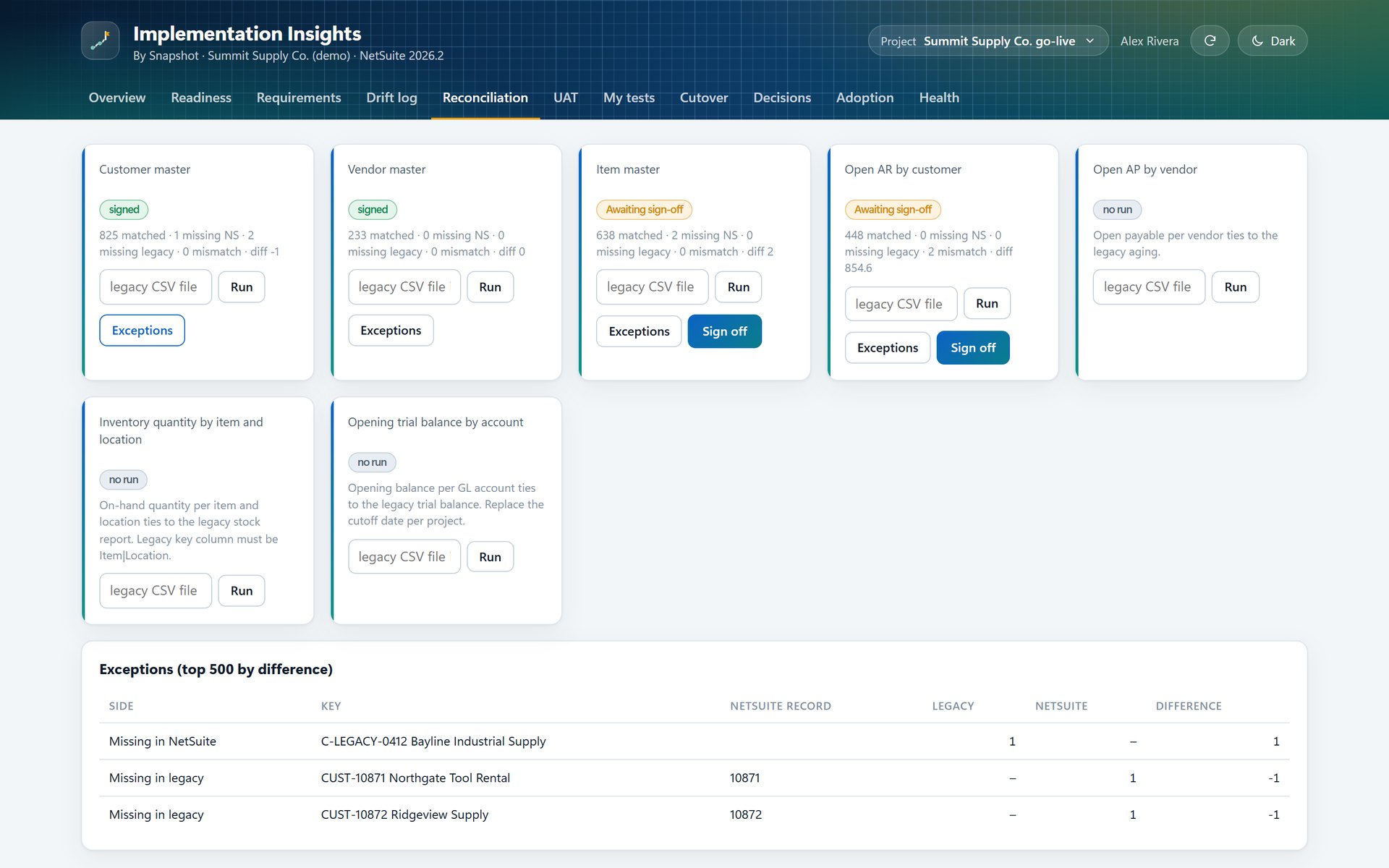
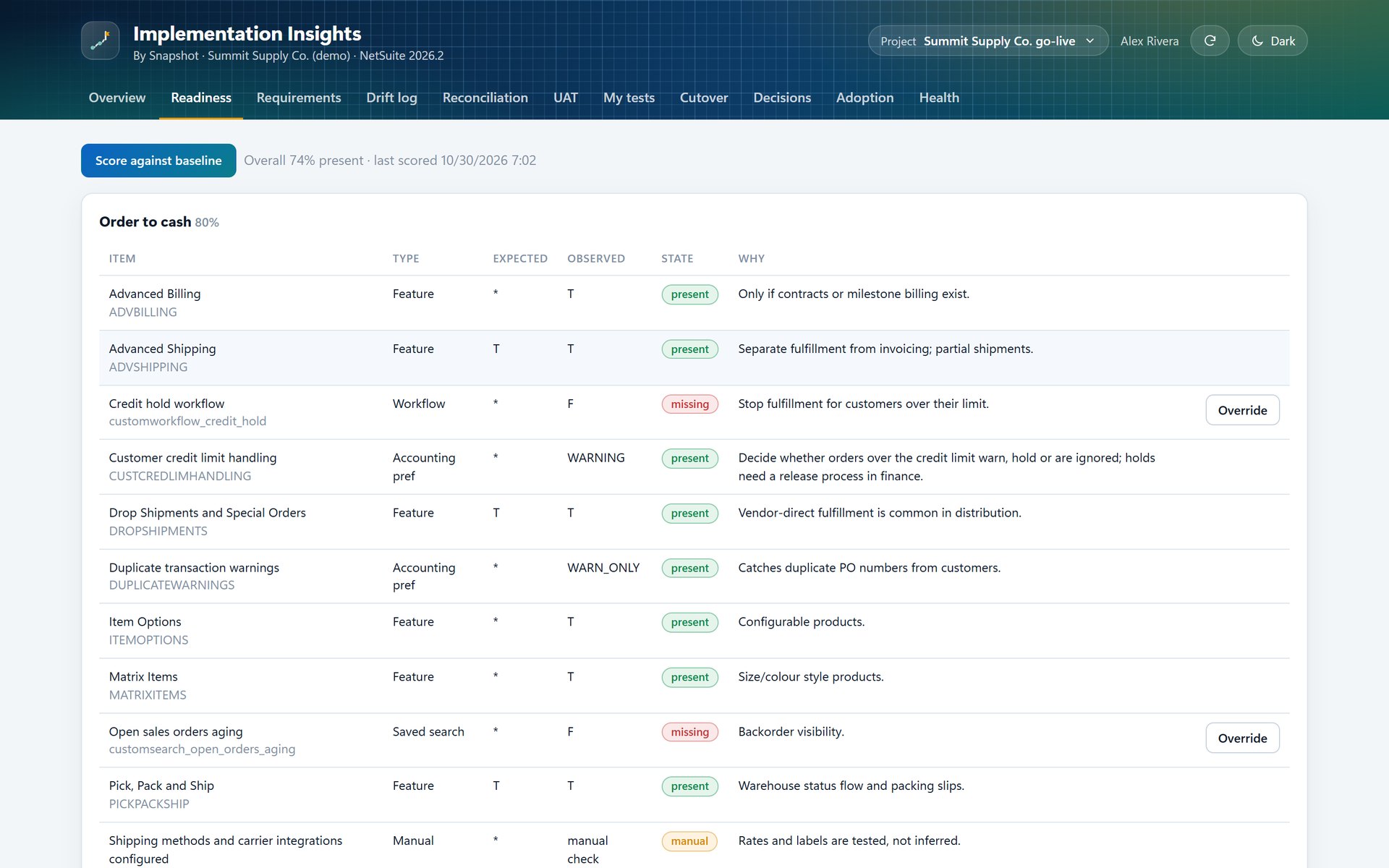
Go-live readiness, migration tie-out and UAT in one NetSuite app.
Readiness against a baseline
Scores your account's features, preferences, roles, workflows and saved searches against a baseline for your industry, with a note on why each setting matters.
Configuration drift
After your team approves a workstream's settings, Implementation Insights checks them every night and flags any setting that changes, such as credit-limit handling moving from Hold to Warning, so your team can accept the change or update the baseline.
Record-level reconciliation
Seven migration packs, from customers and items to open AR and the opening trial balance, tied out against the legacy extract record by record, then signed off.
UAT with evidence
Requirements and test scripts import from CSV, each tester records results in a personal test list, and every defect links to the requirement it blocks.
Live go/no-go
Five go/no-go checks calculated from your project data, a cutover board with task owners, go-live criteria and flagged blockers, and a countdown that pauses when a check fails.
Decisions & adoption
A decision log stored in your account, plus adoption reports after go-live that show active users, transactions and workflows by role.
From the executive sponsor to the UAT tester.
Proof from inside your account, before and after go-live.
- Reads your live account.Readiness and drift scores come from your account's features, preferences, roles, workflows and saved searches, so the status reflects how your NetSuite account is configured today.
- Stays in your account.Requirements, test results, sign-offs and decisions are stored as custom records in your NetSuite account and stay there after the project team rolls off.
- Fits your method.Implementation Insights works alongside your implementation method and project tools, with requirements and test scripts imported from CSV.
See whether your NetSuite go-live is really ready
Tell us where your implementation stands and how you track readiness, testing and cutover today, and a NetSuite specialist will walk you through Implementation Insights on a demo project.
Book an Implementation Insights demo
FAQ
Questions about Implementation Insights
Don't see yours? Ask our NetSuite team and someone will get back to you.
What is Implementation Insights?
Implementation Insights is a NetSuite app from Snapshot Design that runs inside the customer's own NetSuite account and shows whether an implementation is ready to go live: readiness against an industry baseline, configuration drift after sign-off, record-level migration reconciliation, UAT with evidence, a cutover board with a live go/no-go, a decision log and adoption after go-live.
Who is Implementation Insights for?
It is for NetSuite customers in the middle of an implementation, from the executive sponsor and project lead to the controller and UAT testers, and for the partner consultants and project managers working with them.
Which industries does it cover?
Wholesale distribution has a full readiness baseline today. Baselines for manufacturing and field service are being built.
How does migration reconciliation work?
Seven packs cover customers, vendors, items, open AR, open AP, inventory by location and the opening trial balance. You upload the legacy extract as a CSV, the pack compares it with NetSuite record by record and lists what matched, what is missing on either side and what differs, and each pack is then signed off.
What does the go/no-go check?
Five checks: every reconciliation pack signed off, every Must requirement accepted, no open defects above medium, no unaccepted drift on signed-off settings, and no open blockers with every go-criteria task done. The countdown holds until all five pass.
Does Implementation Insights use AI?
No. It reads the account's configuration and records and works out every score and check from them. If AI Usage Insights is installed, the adoption view can also show AI Unit use by module.