
Coldchain: Food and Beverage Distribution, Built on NetSuite
A NetSuite app for food and beverage distributors: receiving by actual weight, picking the earliest-expiring lot that meets each customer’s shelf-life rule, short-date markdowns, route delivery and settlement, and lot trace from vendor to every customer stop.
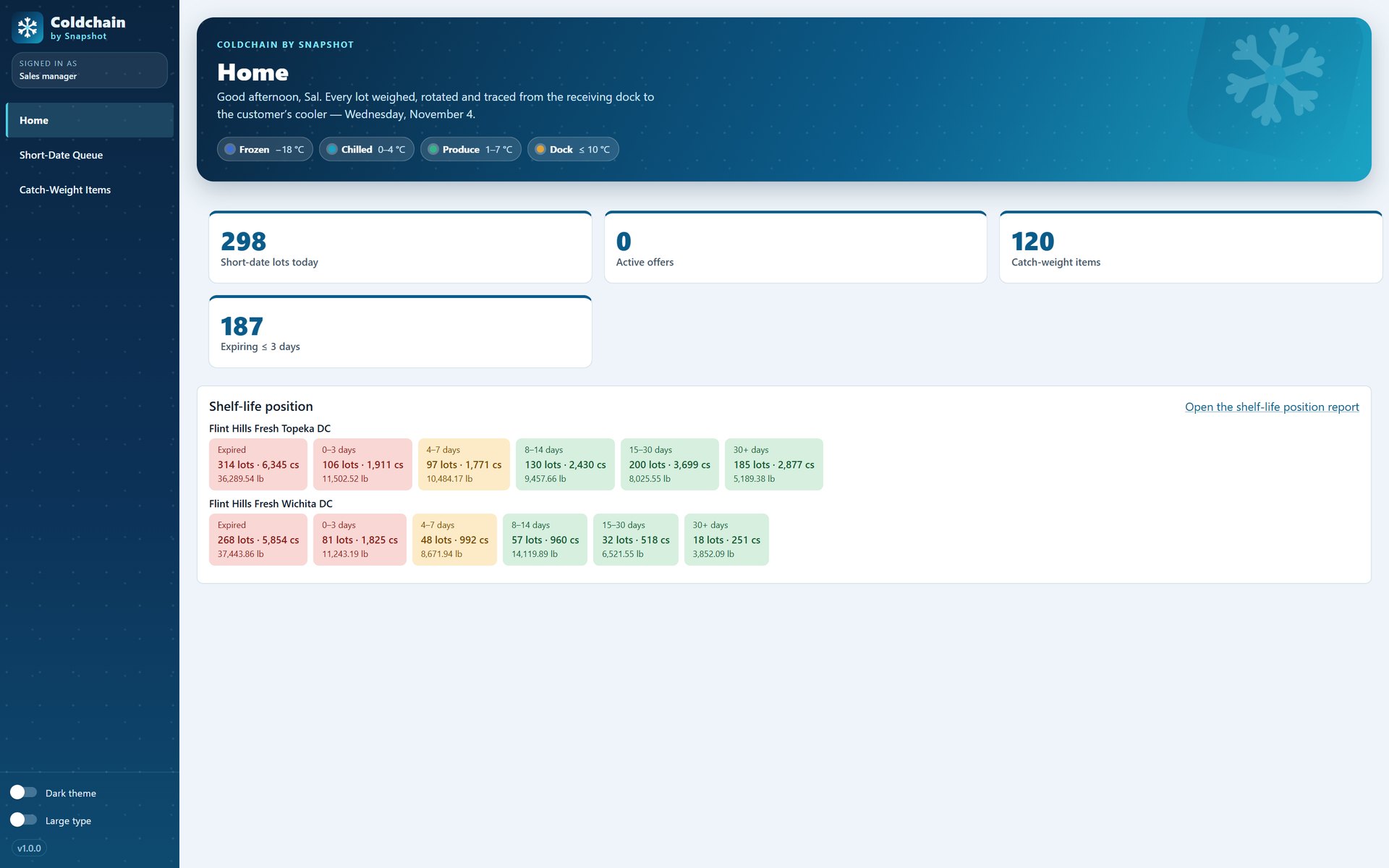
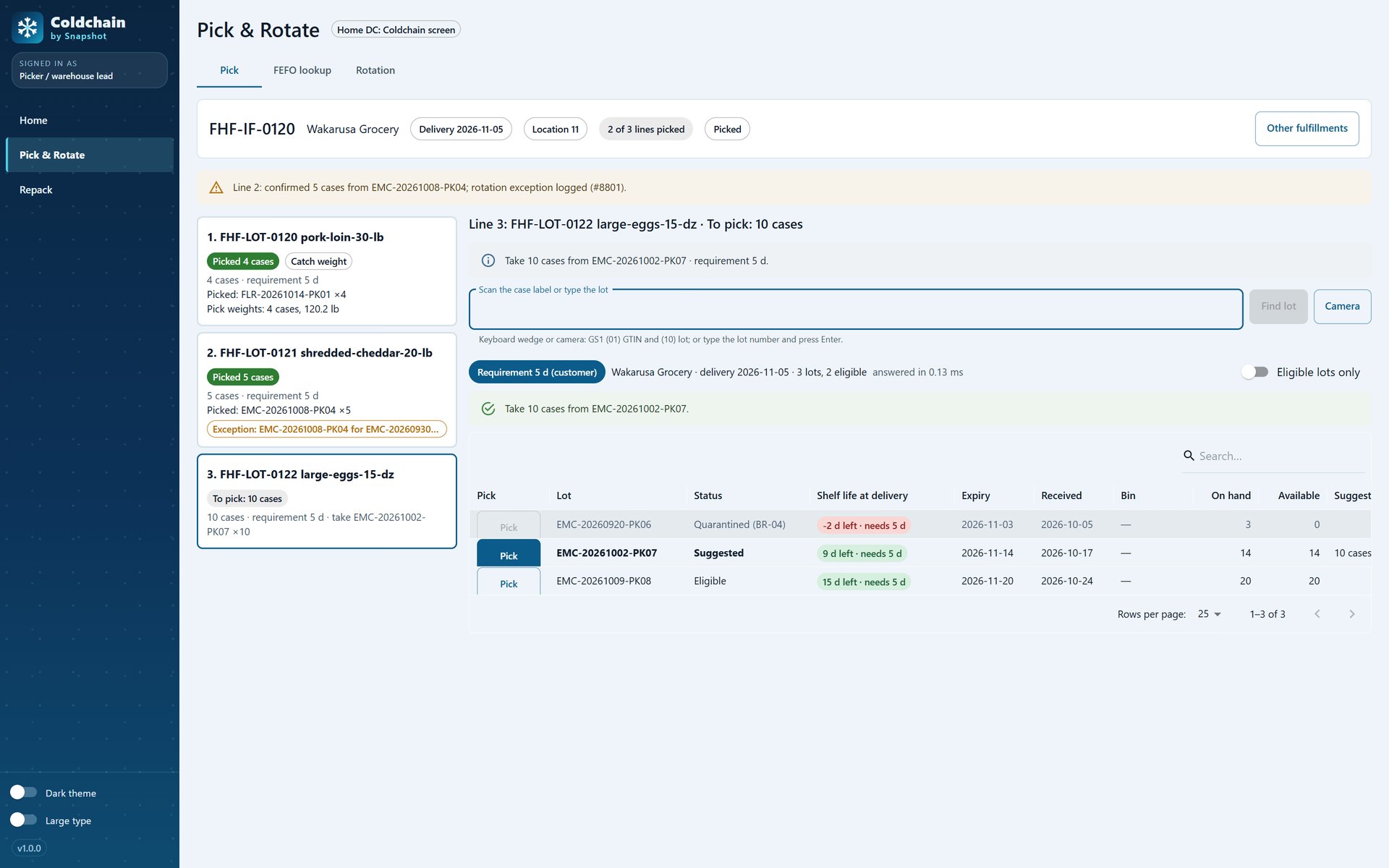
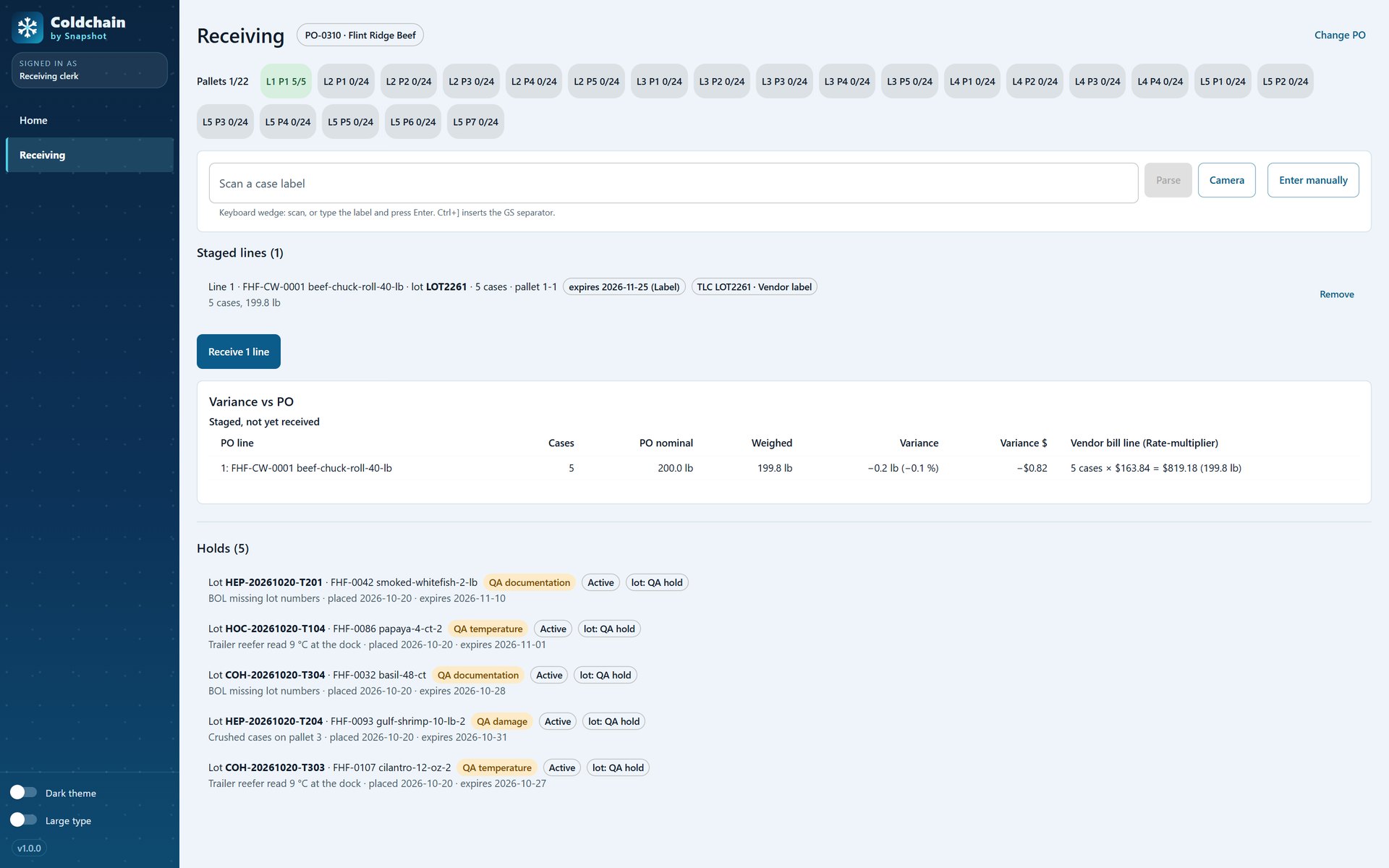
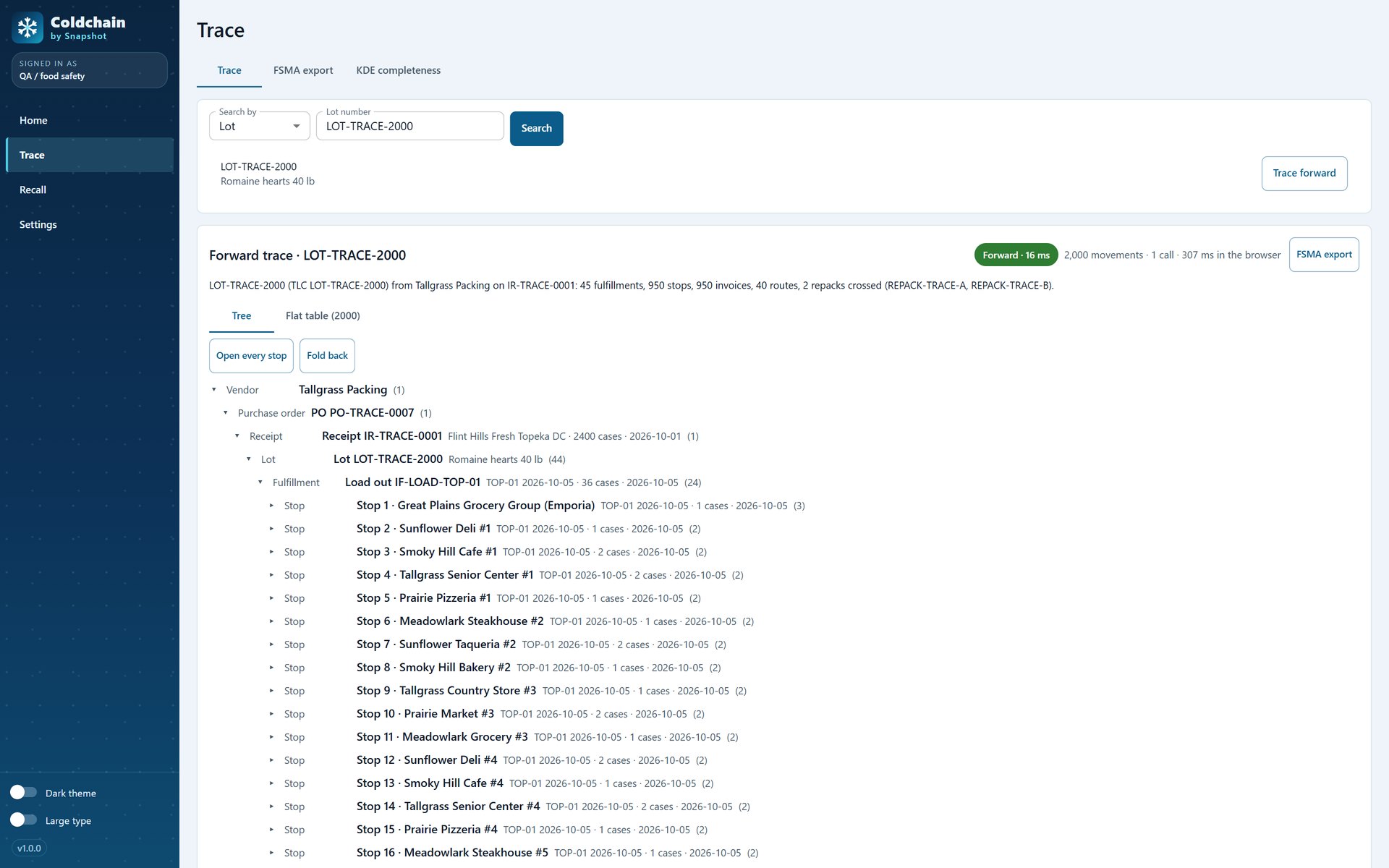
From the receiving dock to the customer’s cooler.
Billed at the actual weight
Cases are weighed at receiving and picking, and the invoice reads the real weight, such as 12 cases at 487.6 lb, priced per pound.
Receiving that reads the label
Scan a GS1-128 case label to fill in the lot and expiry, weigh each case, place QA holds, and see the PO and vendor bill at the weight that arrived.
First to expire, first out
Pickers get the earliest-expiring lot that still meets the customer’s shelf-life rule; expired and held lots can’t be picked, and any other lot needs a logged reason.
Short-date stock that sells
Lots entering their markdown window are listed with on-hand and sales rate, and offers priced below cost need a supervisor’s approval.
Routes, delivery and settlement
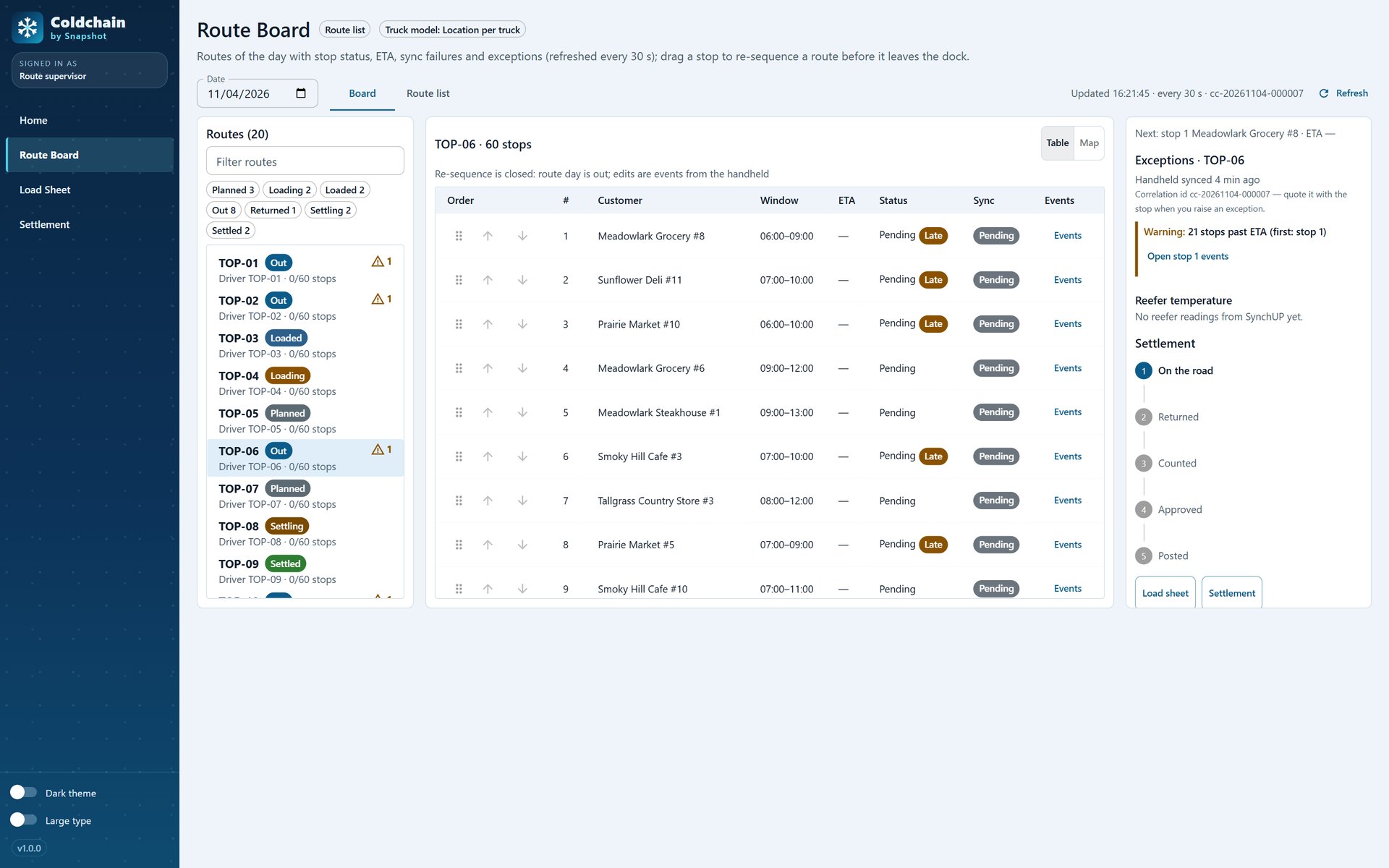
Drivers deliver, adjust, return and capture signature and photo proof on a handheld that works offline, and the route board tracks every stop to settlement.
Lot trace, both ways
Follow a lot forward from the vendor to every truck and customer stop, or backward from a stop, and export the trace for a recall.
From the receiving clerk to food safety.
Weights, lots and routes on native NetSuite records.
- Every weight lands on the transaction.Received and picked weights are stored on native receipts, fulfillments and invoices, and each subsidiary chooses whether cases or pounds are the billed quantity.
- Lots are NetSuite lots.Lot numbers, expiry dates and holds live on native inventory, so picking, quarantine and trace all read the same lot record.
- One general ledger.Deliveries, returns and route settlement post to NetSuite, so finance closes the day in the same system the warehouse runs on.
See a day from the dock to the route, inside NetSuite
Tell us how you receive, pick and deliver today and which items sell by weight, and a NetSuite specialist will walk you through Coldchain on a demo food distributor.
Book a Coldchain demo
FAQ
Questions about Coldchain
Don't see yours? Ask our NetSuite team and someone will get back to you.
What is Coldchain?
Coldchain is a NetSuite app from Snapshot Design for food and beverage distributors. It adds catch-weight receiving and billing, earliest-expiry picking with customer shelf-life rules, short-date markdowns, route delivery and settlement, and lot trace and recall to your NetSuite account.
Who is Coldchain for?
Regional food and beverage distributors and processors on NetSuite that buy and sell by weight, manage shelf life and run their own delivery routes, from the receiving clerk and picker to the route supervisor and food safety.
How does catch weight work?
Cases are weighed as they are received and picked, and the actual weight is stored on the NetSuite transaction. The invoice bills the real weight at the price per pound, and each subsidiary chooses whether cases or pounds are the quantity.
How does picking choose a lot?
Pick & Rotate suggests the earliest-expiring lot that still meets the customer’s shelf-life requirement. Expired and held lots can’t be picked, and choosing a different lot needs a reason that is logged.
How does lot trace help in a recall?
Any lot can be traced forward from the vendor and receipt to every load-out and customer stop, or backward from a stop, shown as a tree or a flat table that exports for the people running the recall.
Does Coldchain keep its own books?
No. Weights, lots, deliveries and returns are stored on native NetSuite items, lots and transactions, and route settlement posts to the NetSuite general ledger.